Description of Operation
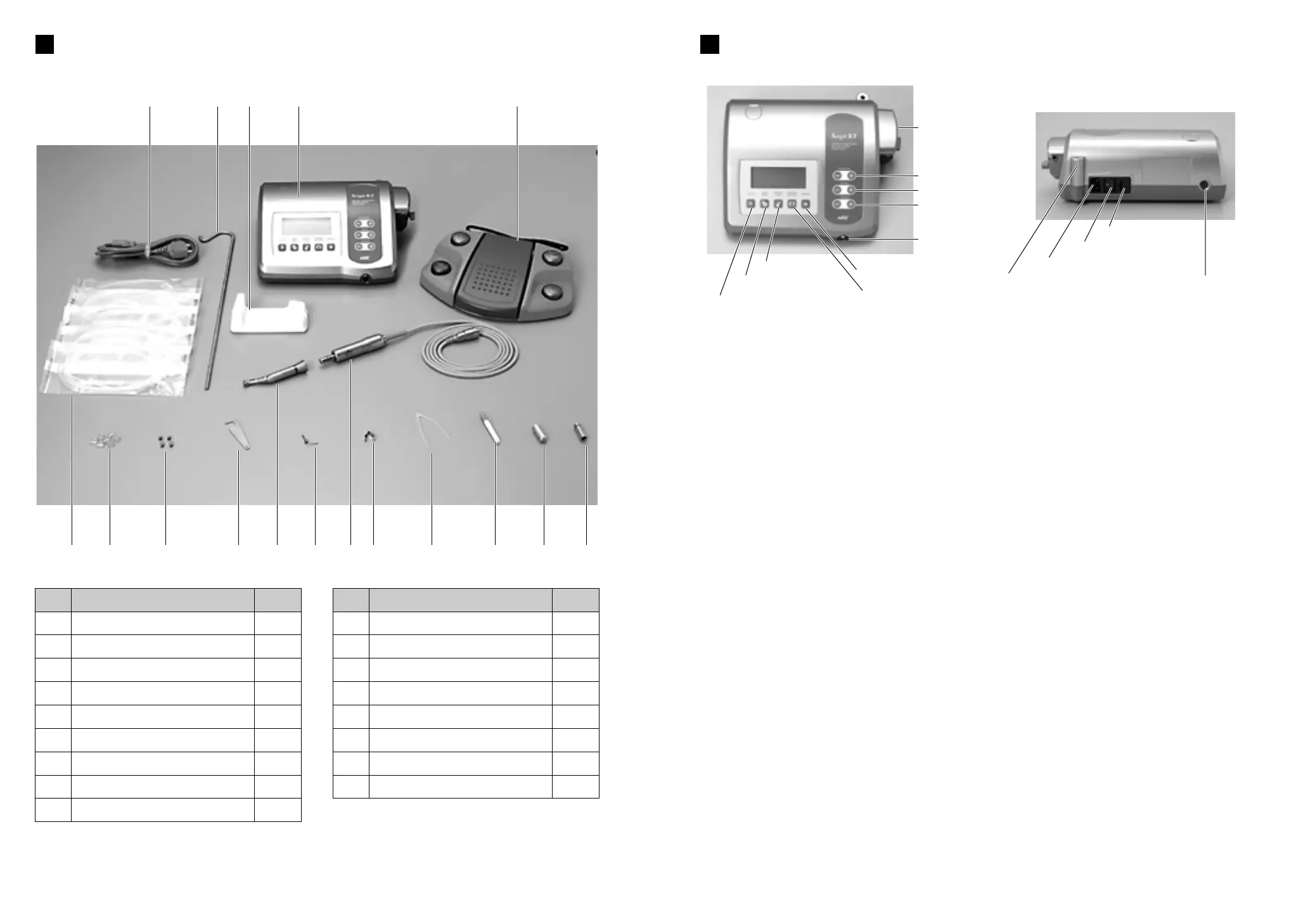
S Keys on the Unit
a Program key
This key is used to select any one of 10 available programs. Press [+] to ascend program
numbers and [
-
] to descend the numbers. By pressing either [+] or [
-
] the numbers rotate
continuously through all available programs.
s Speed key
This key is used to set the micromotor speed. Press [+] to increase speed by one step, and [
-
]
to decrease speed by one step. When [+] is pressed and the speed setting reaches maximum
or [
-
] is pressed and the speed setting reaches minimum, an audible intermittent beep sounds,
and the speed cannot be changed any further.
d Torque key
This key is used to set the torque. Press [+] to increase torque by one step and [
-
] to decrease
torque by one step. When [+] is pressed and the torque setting reaches maximum, or [
-
] is
pressed and the torque setting reaches minimum, an audible intermittent beep sounds, and the
torque cannot be changed any further. The range of torque setting steps vary according to the
gear ratio selected to match the handpiece attachment in use.
f System key
This key is used to calibrate the handpiece attachment before use. To activate the automatic
calibration mode, connect the handpiece attachment to the micromotor and press this key. The
micromotor will automatically operate for a few moments and, when it automatically stops, the
handpiece attachment will be calibrated to the micromotor.
g Gear Ratio key
This key is to select match ratio of the handpiece attachment, before use, to the unit. Press this
key until the LCD display exhibits the correct gear ratio of the handpiece attachment.
h Coolant Flow key
This key is used to select the coolant solution flow volume. 5 flow volume rates are available for
selection, plus the flow can be turned off.
j Forward/Reverse key
This key is used to change the rotational direction of the micromotor. Press this key once to
change the rotational direction.
k Memory key
This key is used to memorize the program parameters set by the operator. Press this key for
approx. 1 second to memorizes parameters. An audible beep confirms that new program
parameters have been memorized.
ew
Gear Ratio key
Coolant Flow key
Forward/Reverse key
System key
Memory key
Speed key
Program key
Torque key
Coolant Solution Hanger Post
AC Electrical Cord Connection Jack
Fuse Holder
Main Power Switch
Micromotor Cord
Jack
Foot Control Cord Jack
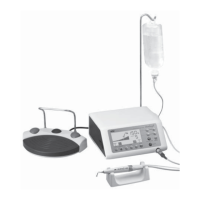
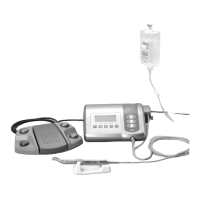
Package contents
Irrigation Pump
2
u !0 !3
e !1 y q w
!2 t i r o !4 !5 !6 !7
q
w
e
r
t
y
u
i
o
Quantity
1
1
1
1
1
1
5
1
1
Description
Control Unit with Irrigation Pump
Foot Control
AC Electrical Cord
Autoclavable Micromotor with Cord
Reduction Handpiece Attachment (Opt)
Micromotor Cradle
Irrigation Tube
Internal Spray Nozzle
Irrigation Tube Clamp
Item
No.
!0
!1
!2
!3
!4
!5
!6
!7
Quantity
7
1
1
2
1
1
1
1
Description
Tube Holder
Coolant Solution Hanger Post
Wrench for Handpiece Attachment
Spare Fuse
Y-connector
Nozzle Cleaning Fine Wire
Autoclave Plug for Motor
Spray Lubricant Nozzle
Item
No.
Control Unit with an Irrigation Pump
3


 To Next Page