- 23 -
DASHBOARD
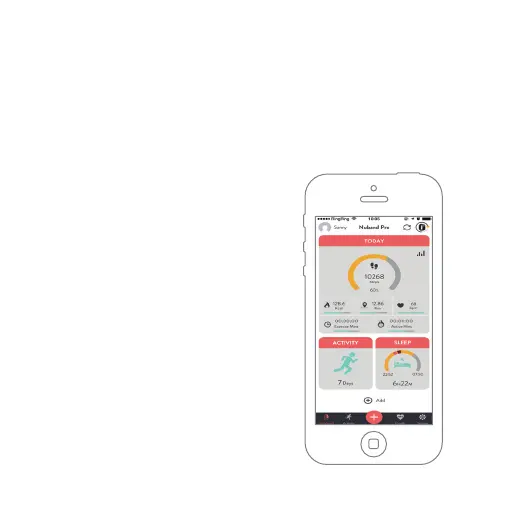
The Nuband NRG app will normally open on this screen, from the
Dashboard Screen, it is easy to see your Steps, Calories, Distance,
Heart Rate, Exercise Time, Intensive Minutes, Exercise Record and
Sleep Tracking – simply tap whichever option you want to see.
To check data record for the days you
have worn your Nuband Pro GPS band,
you can tap the “Add More “icons next
to the date at the bottom of the screen
to add much more data board to the
main screen for convenient navigation.


 To Next Page