All models are fitted with a hot water
mixer that can be used to adjust the delivery
temperature of the water and therefore, to opti-
mise system performance.
To adjust the hot water economiser, it is neces-
sary to remove the left-hand panel of the
machine, proceeding as follows:
• loosen the two top screws (Fig. 18);
Fig. 17
35
ENGLISH
Fig. 18
Fig. 19
5.3
HOT WATER ECONOMI-
SER ADJUSTMENT
(optional V/ESSE model)
• loosen the screw beside the steam nozzle A;
• press the knob B and remove the left-hand
panel.
5.4
PUSH-BUTTON PANEL
REPLACEMENT
For correct functioning of the machine, perso-
nalising each button panel card at time of
replacement is necessary; proceed as follows
on the selectors placed on the card (on the key
side).
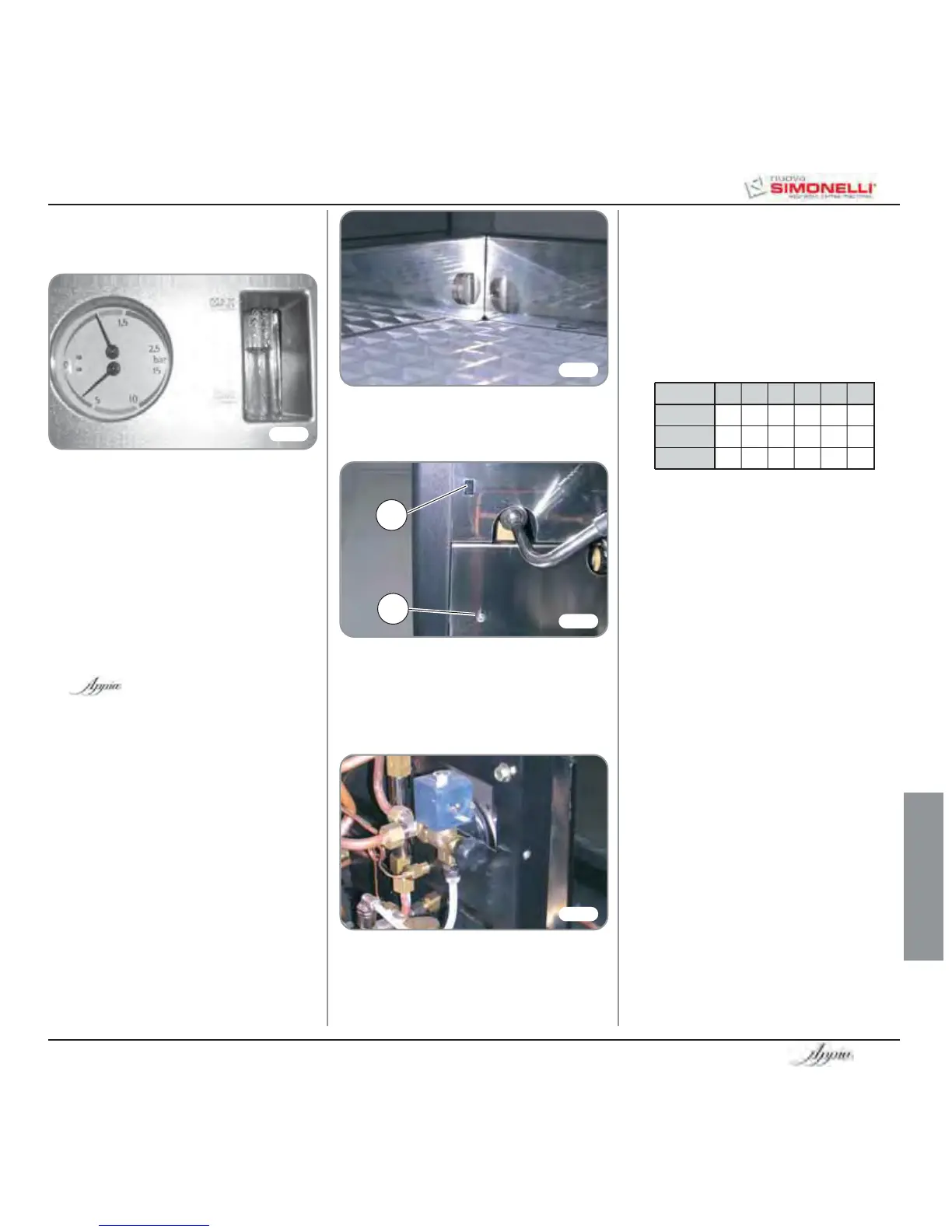
• The set pump pressure is shown on the
lower part of the gauge.
Once the adjustment operation has been com-
pleted, screw the protective metal sheet back
into its setting and replace the worktop grid
cover.
• when this operation is complete, fit the left-
hand panel back onto the machine.
MAX
MIN
A
B
• to adjust the temperature of the hot water
delivered from the nozzle, turn the register
knob CLOCKWISE / ANTICLOCKWISE to
INCREASE / REDUCE the temperature;
Fig. 20
GROUP sw1 sw2 sw3 sw4 sw5 sw6
Group 1 On Off Off On Off Off
Group 2 Off On Off Off On Off
Group 3 Off Off On Off Off On








 To Next Page