23. PASSWORD
Press the ENTER key to access the submenu.
This programmes a new password to access
the functions that can be programmed in the
TECHNICIAN MODE.
Enter a combination of 5 keys (from the 8 keys
available on the keyboard) and set the new
required password.
Press the RESET key to quit the submenu and return
to the main menu without confirming the setting.
Press the ENTER key to confirm the setting.
24. SMART CARD
Press the ENTER key to access the submenu.
This sets the SMART CARD reader to ena-
bled.
The function is enabled by setting the param-
eter to YES.
Press the keys to enable (YES) / deactivate
(NO) the SMART CARD reader.
22. TOTAL COUNT
(All versions)
Pressing the ENTER key, the sub-menu can be
entered. The following are visualised:
• The number ofcycleseffectuatedforeach
drink key, following the use of the left and
right grinders.
• Decaffeinatedtotal
• Washingcycletotal
• Steamtotal
• Hotwatertotal
• Totaloflitresofwater
The▲▼keysscrollupanddownthevarioustotals.
The RESET key is used to return to the preceding
menu.
Inthefirstpositionandkeepingthe▲keypressed,
the absolute total of the doses produced by the
machine.
To zero the counting of the various cycles and the
decaffeinated, steam and hot water totals, simultane-
ouslypressthe▲▼keys.Themessage“Counters
Reset” is visualised on the display.
The▲▼keysscrollupanddownthevarioustotals
of cycles associated to each key used.
The RESET key is used to return to the preceding
menu.
Inthefirstpositionandkeepingthe▲keypressed,
the absolute total of the doses produced by the
machine using the right grinder is visualised.
E.G.
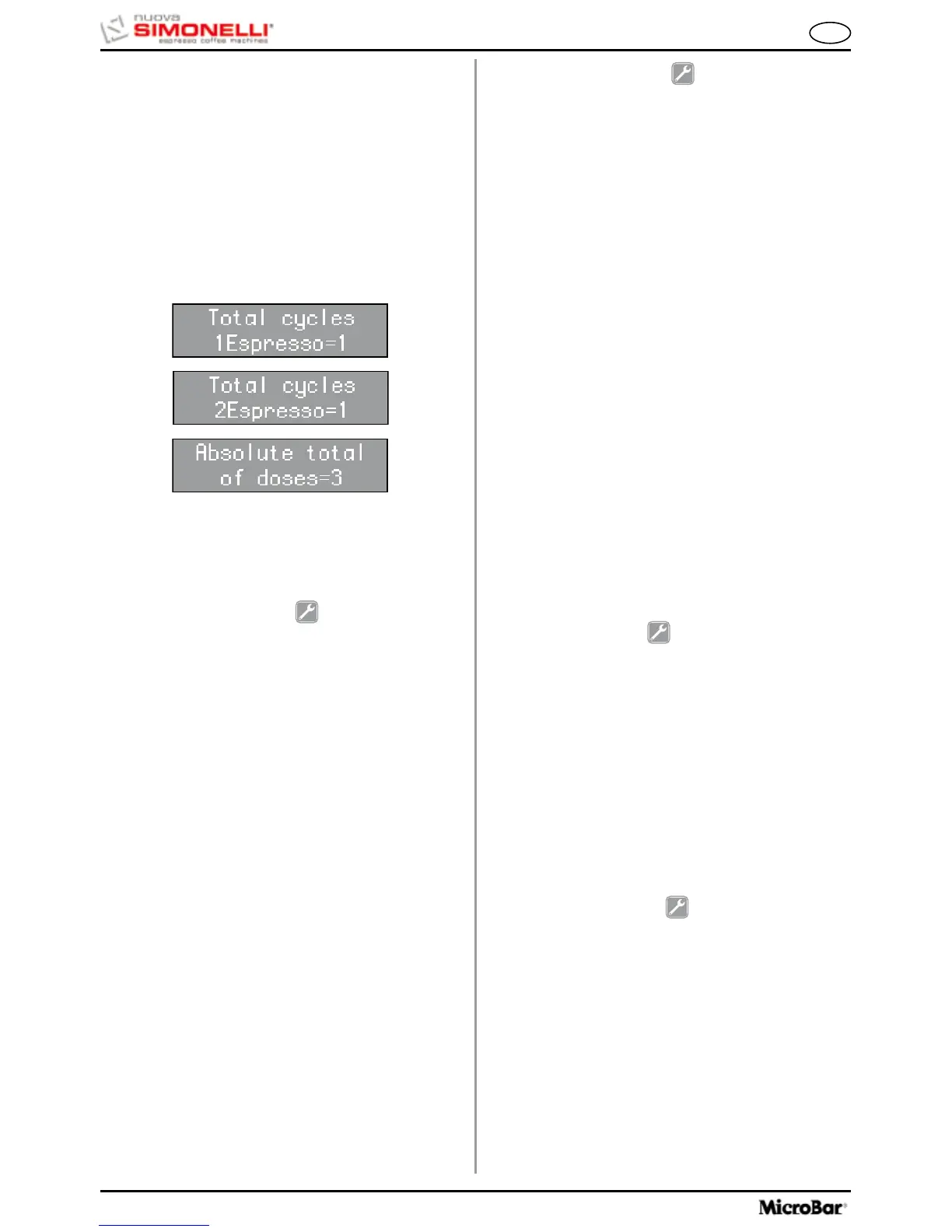
Pressing the 1Espresso key and the 2Espresso key
once, the following can be read:
To zero the counting of the various cycles, simultane-
ouslypressthe▲▼keys.Themessage“Counters
Reset” is visualised on the display.
21. TOTAL COUNT 2
(only in the version with a double grinder)
Pressing the ENTER key, the sub-menu can
be entered.
The number of cycles effectuated for each
drink key is visualised, following the use of the
left grinder.
The▲▼keysscrollupanddownthevarioustotals
of cycles associated to each key used.
The RESET key is used to return to the preceding
menu.
Inthefirstpositionandkeepingthe▲keypressed,
the absolute total of the doses produced by the
machine using the left grinder is visualised.
To zero the counting of the various cycles, simultane-
ouslypressthe▲▼keys.Themessage“Counters
Reset” is visualised on the display.









 To Next Page