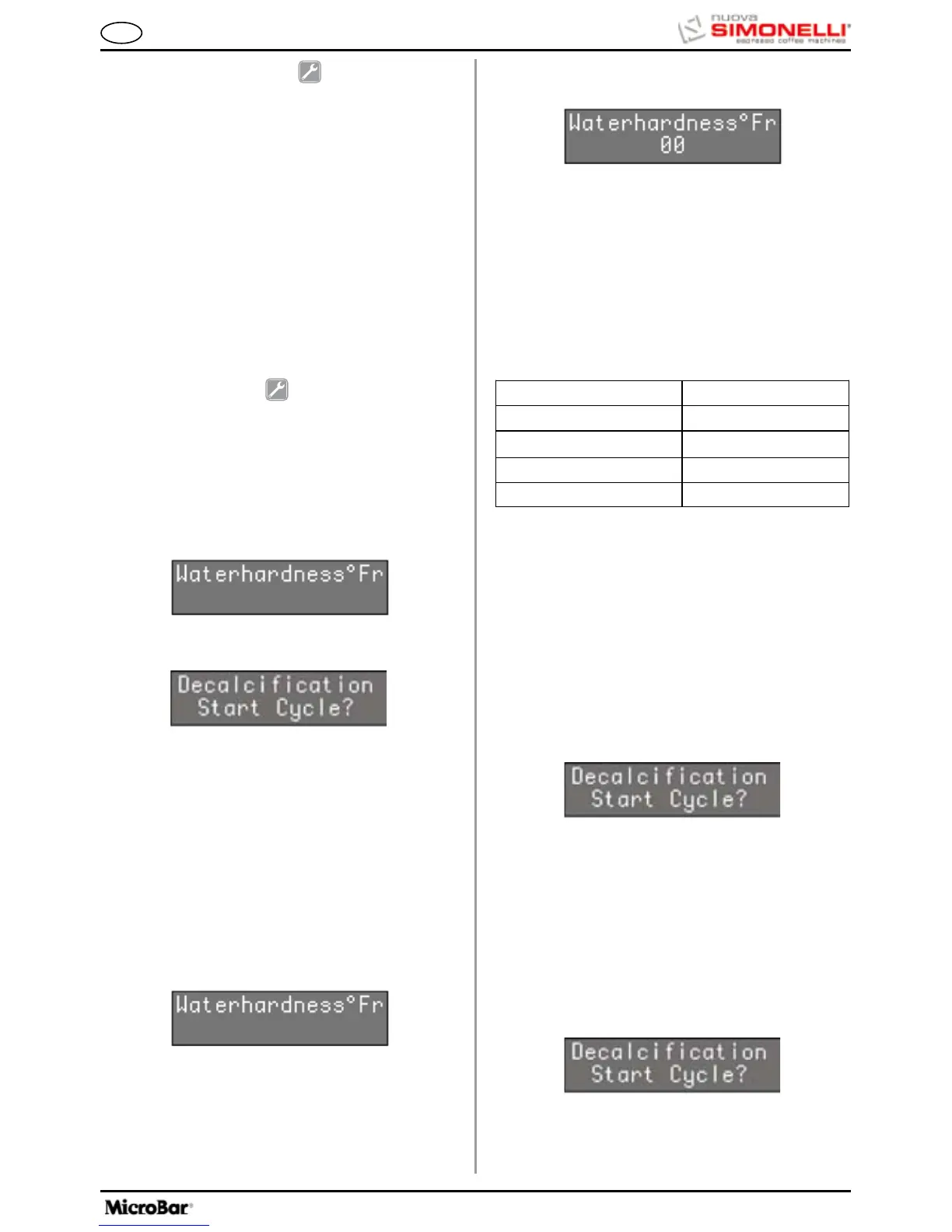
•Whenthemessage:
Appears, press the ENTER key to begin the de-
scaling cycle.
OPERATION:
•Before starting the de-scaling cycle, fillthetank
with a solution of water and de-scaling product.
NOTE: Use at least 2 (0.52 gal) litres of solution.
•Whenthefollowingmessageappears:
scaling cycle has been completed, as will the litre
counter.
If the set value is “00” the alarm will be disabled.
26.2 DE-SCALING CYCLE
An automatic de-scaling cycle is performed on the
machine's boiler tanks.
NOTE:
The “DE-SCALE” alarm will not interrupt machine
operation and it will be reset as soon as the de-
The display will then read as follows:
Use the keys to set (increase/reduce) the water
Water litres (gal)
Water Hardness °Fr
1-7 1500
8-30 1000
31
500
00
Alarm disabled
hardness parameter.
Press the ENTER key to return to the main menu and
save the setting to memory.
Press the RESET key to return to the main menu
without saving the setting to memory.
The following table shows the correspondence
between the hardness setting and the number of
litres of water consumed after which the “DE-SCALE”
message appears.
back to the main menu and to confirm the tempera-
ture programmed.
The ENTER key is disabled.
26.1 SETTING WATER HARDNESS
It is possible to set water hardness according to
French degrees and therefore, an alarm for perform-
ance of the de-scaling cycle.
•Whenthemachinedisplaysthismessage:
Press the ENTER key to enter the function.
The keys can be used to select one of the fol-
lowing two functions:
Press the keys to enable (YES) / deactivate
(NO) cleaning at the end of service.
26. DE-SCALING
(Microbar version with Tank only)
Press the ENTER key to access the submenu.
The first message to appear concerns the pos-
sibility to set water hardness:
25. WATER FILTER L
Press the ENTER key to access the sub-
menu.
This allows you to program the number of litres
of water to be delivered for the display of the
message clean water filter.
The arrow keys increase/decrease the number
of litres of water delivered for the display of the mes-
sage clean water filter.
Press the RESET key to exit the submenu and go
back to the main menu and to confirm the number of
litres programmed.
The ENTER key is disabled.









 To Next Page