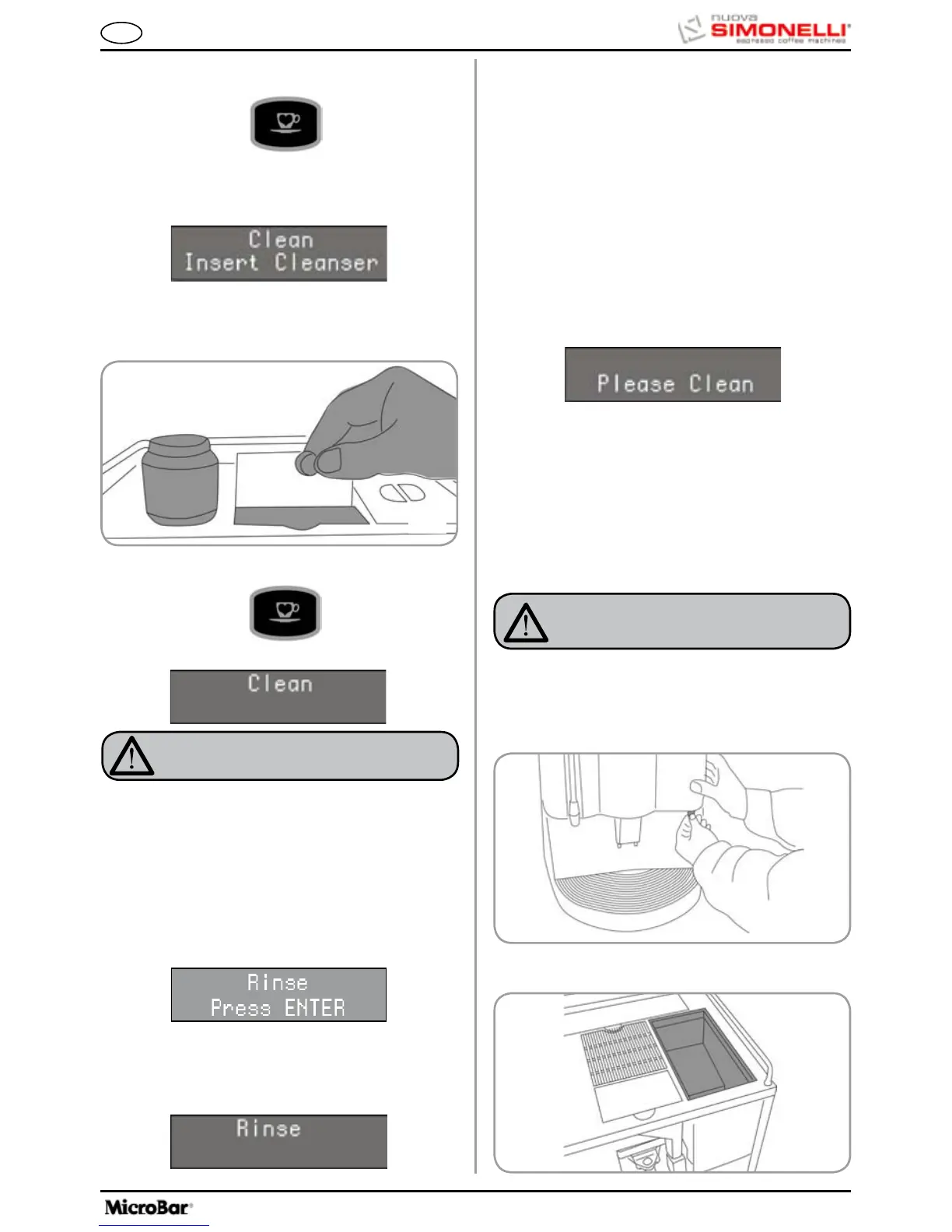
4. Press the following key:
6. Open the ground coffee conveyor hatch.
7. Insert the cleanser tablet (puly Caff) and close
the hatch
8. Press the following key:
WARNING
If the DECAFFEINATED key is not pressed, after
about 20 seconds the machine will automatically
continue the washing cycle.
NOTE:
During the washing cycle the dose keys are
disabled.
•Attheendofthewashingcycle,thedisplaywill
read:
The display will read:
NOTE: During the washing and rinsing cycles keep-
ing a container under the delivery unit is
advisable or empty the water collector once
the wash and rinse cycles have been com-
pleted.
9.3 REINSTATING AN
INTERRUPTED
WASHING CYCLE
CAUTION
RISK OF BURNS OR SCALDING
•Setthemachinetothe“O” energy level.
•Insertthekeyinthelock.
•TurntheFrontpanelkeycounter-clockwise.
•OpentheFrontpanel
9.4 COFFEE HOLDER AND
COFFEE DELIVERY
UNIT CLEANING
•Remove any coffee residues deposited on the
delivery unit sides.
•Shouldthewashingcyclebeinterruptedbyelec-
tricity failure, when the appliance is next turned
on the unit will be in rest position and the display
will read:
•PresstheDECAFFEINATEDkeyagaininorder
to repeat the procedure described above in the
paragraph ‘CLEANING THE DELIVERY UNIT
AND Milk Foamer.’
5. Keep pressing down on the key for about 5 sec-
onds until the display reads:
Position another container of just water and press the
ENTER key; the machine will perform a rinse cycle
and the display will read:









 To Next Page