59
ENGLISH
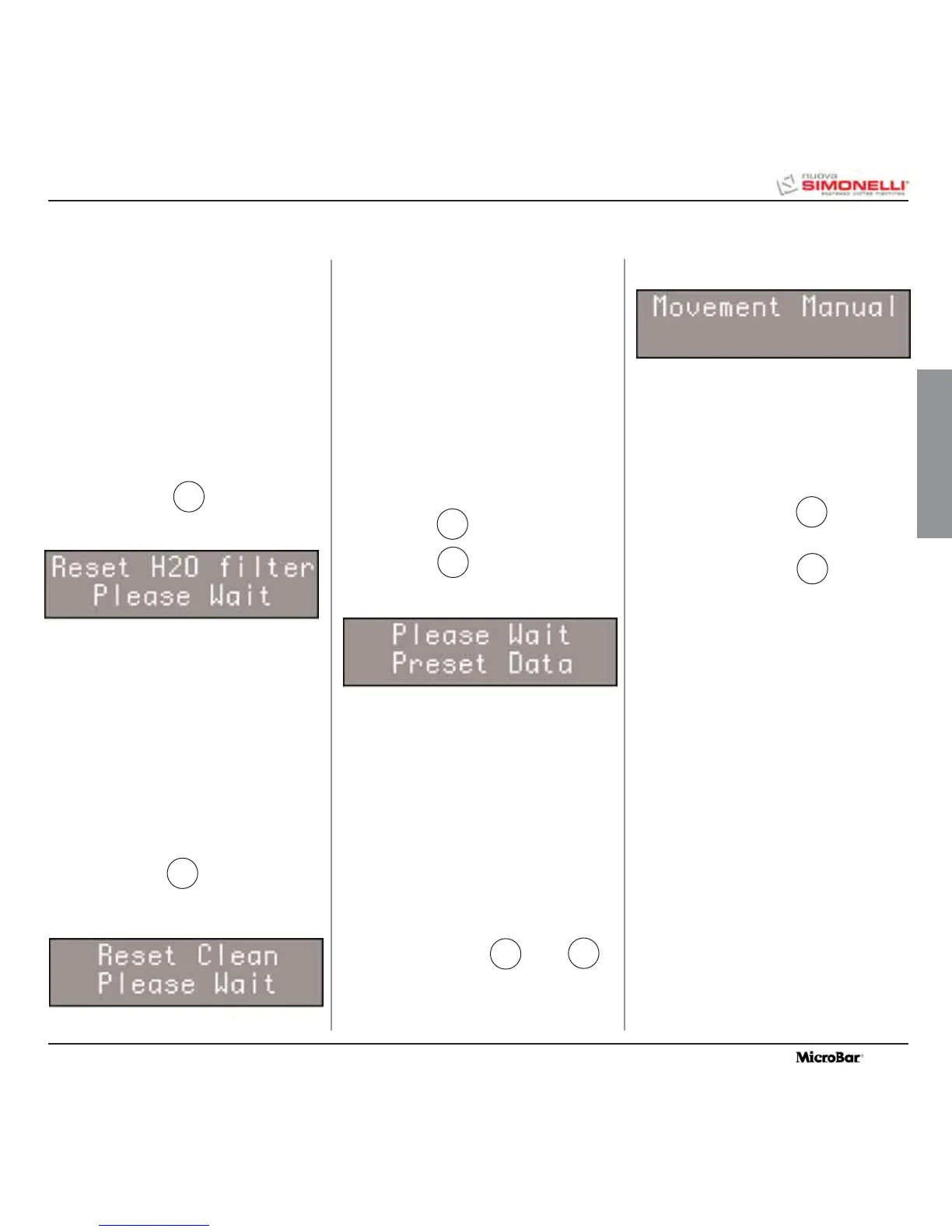
This function makes it possible to remove incor-
rect functioning data and to reinstate the
Standard Programming settings (see PRESET
SETTINGS chart) .
Proceed as follows:
• Release voltage by turning the main switch
off (OFF).
• Reinstate voltage by turning the main
switch on (ON) and simultaneously press-
ing down on the keys
ENTER
e RESET ;
until the display reads:
This function makes it possible to activate the
motor manually forming the automation of the
manual coffee delivery group. Proceed as fol-
lows:
• Release voltage by turning the main switch
off (OFF).
• Reinstate voltage by turning the main switch
on (ON) and simultaneously pressing down
on the arrow keys ▲ and ▼ ;
IMPORTANT: When the machine is switched
on, since the arrow key ▼ is
used to access this site, the
piston will automatically start
to move downwards.
• Press the arrow key ▼ to move the
piston DOWNWARDS.
• Press the arrow key ▲ to move the
piston UPWARDS.
• Release and reinstate voltage using the
main switch to end the procedure.
This function allows you to reset the total
amount of water used.
Proceed as follows:
• Release voltage by turning the main switch
off (OFF).
• Reinstate voltage by turning the main switch
on (ON) and pressing down on the key:
until the display reads
This function makes it possible to reset the total
number of washing cycles.
Proceed as follows:
• Release voltage by turning the main switch
off (OFF).
• Reinstate voltage by turning the main switch
on (ON) and pressing down on the key:
until the display reads
5
7
8. SPECIAL MACHINE SCALING FUNCTIONS
8.1
RESETTING THE
CLEANING FILTER
LITRE COUNTER
8.2 RESETTING WASHING
CYCLES
8.3 RESETTING MACHINE
PARAMETRES
8.4 HANDLING MANUAL
COFFEE DELIVERY
GROUP
1
3
2
4
4
2
until the display reads:









 To Next Page