43
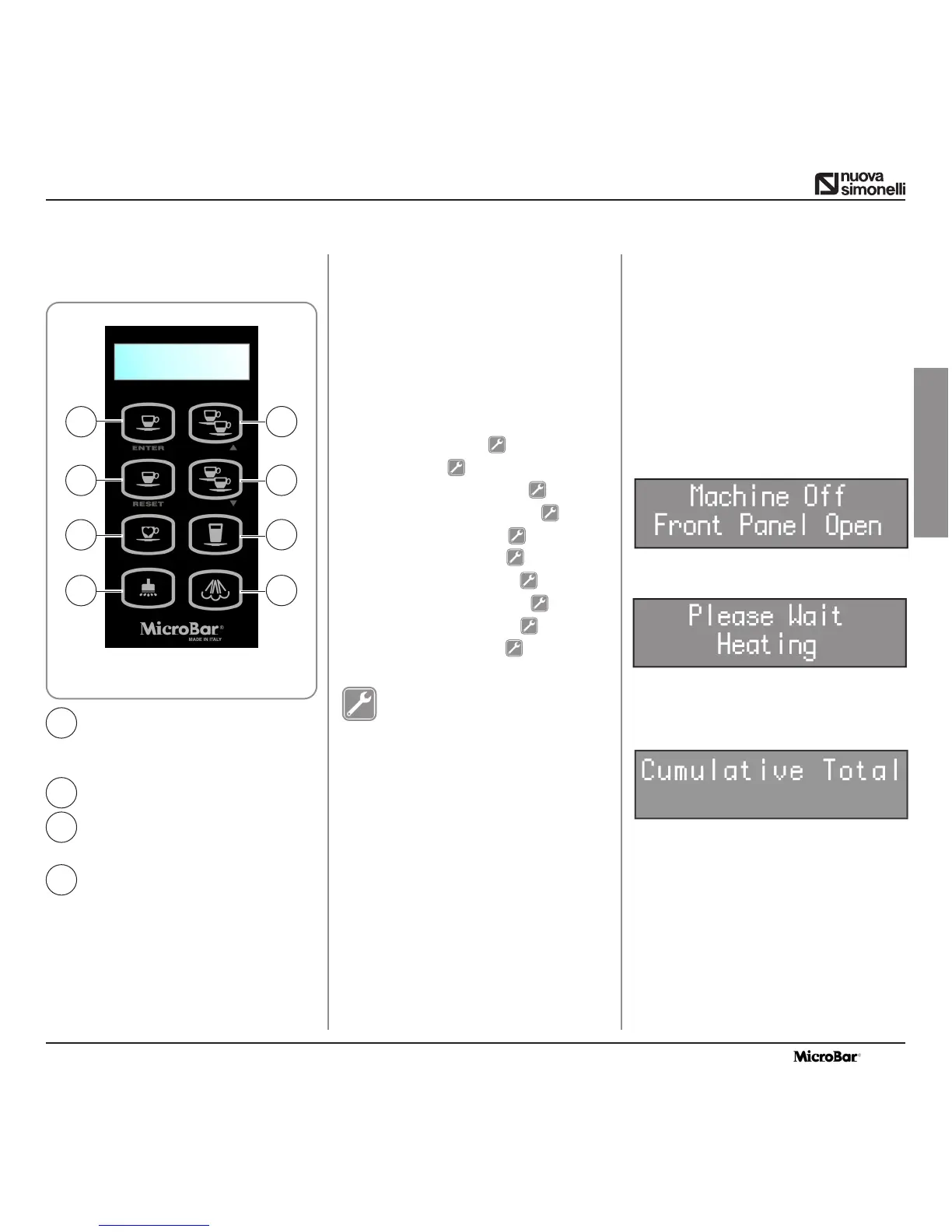
ENTER key: to enter menus
CURSOR keys: scrolling menus,
increasing / decrea-
sing values
RESET key: to exit menus
For accessing the programming sites proceed
as follows:
NOTE: can be performed with machine on.
• Insert the key into the appropriate lock.
•Turn the control panel hatch key counter-
clockwise.
• Open the control panel hatch; the display
will read:
• Press the ENTER key, close the front panel,
the display will read:
• Once the ejection cycle is over, the unit will
enter resting phase position and the display
will show the first item on the programming
menu:
LIST OF PROGRAMMABLE
FUNCTIONS
1. CUMULATIVE TOTAL
2. PRODUCT NAME
3. WATER VOLUME
4. GRIND TIME
5. MILK TIME
6. PRE-BREWING
7. TAMPING
8. GROUNDS NUMBER
9. MILK CLEAN WARN. H
10. CLEAN WARNING
11. GROUP SETTING
12. GRINDER SETTING
13. COFFEE TEMPERAT.
14. STEAM TEMPERAT.
15. WATER FILTER L.
KEY FUNCTIONS
▲▼ : Scrolling function list
Programmable and/or decreasing /
increasing values.
ENTER :To enter menus/ submenus and con-
firming data.
RESET : Moving back to preceding level.
1
3
5
7
2
4
6
8
Fig. 28
1
3
2
4
7. PROGRAMMING
7.1
LEGENDA
7.2 PROGRAMMING
ENGLISH
This operation should be realized by
an Expert Technician ONLY.
Adjustement carried out by NON
Certified Technichians or other per-
sons, may invalidate the Warranty.


 To Next Page