4544
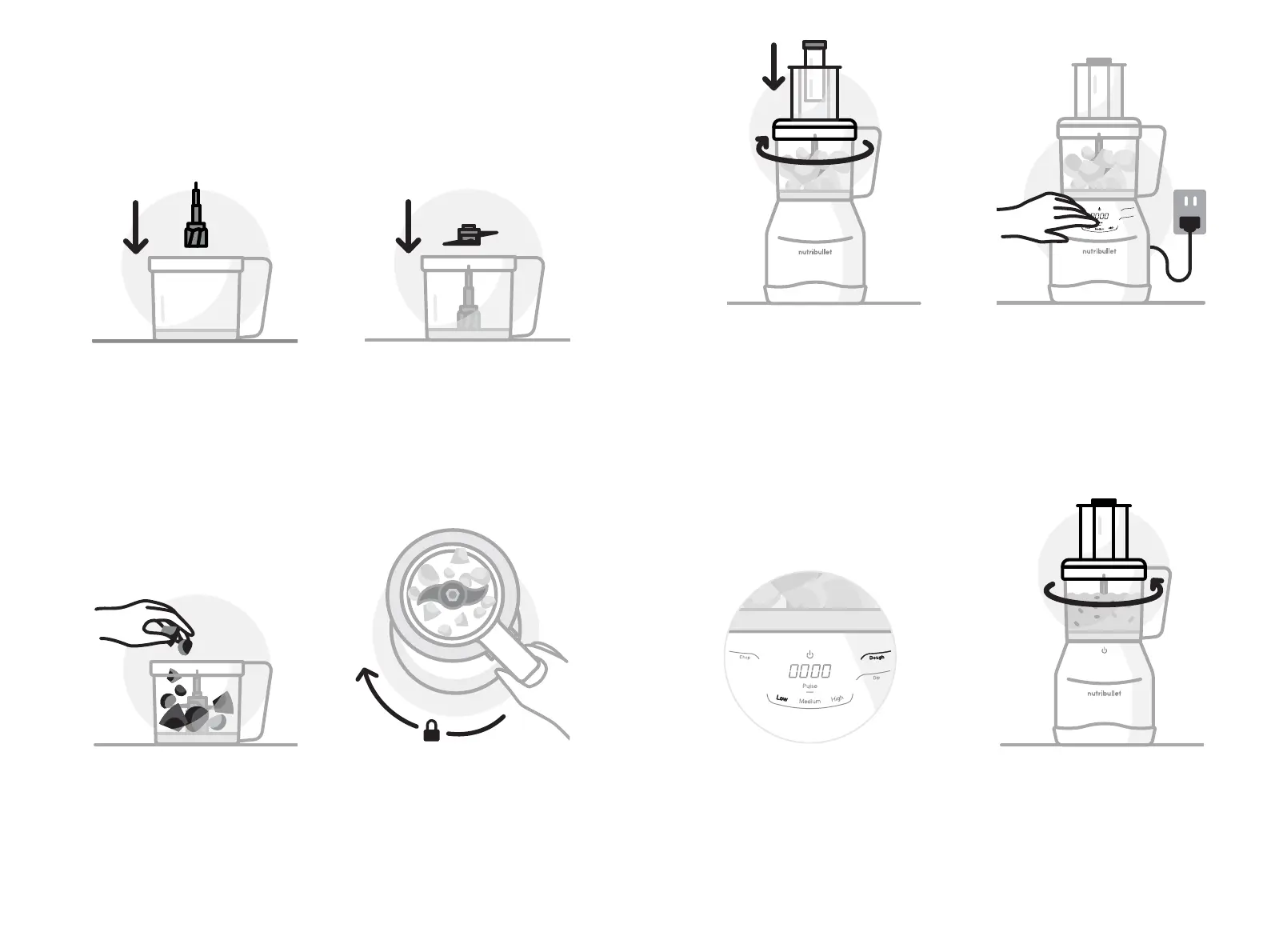
1 Place the Work Bowl on a flat,
clean, and dry surface. Place
the Blade Adapter atop the
central shaft and push the
Adapter down to secure into
place.
2 Place the Dough Blade onto
the Blade Adapter shaft.
3 Prep ingredients as necessary
and add to the Work Bowl.
4 Place the Work Bowl onto the
unplugged Motor Base. Twist
clockwise. The Work Bowl will
click when locked into place.
Using the Dough Blade:
combine ingredients to make dough for
bread, pizza, or pie crusts.
5 Place the Work Bowl Lid atop
the Work Bowl. Twist the Lid
clockwise and line up the
arrows to lock into place.
Insert the Food Pusher into
the Lid’s Feed Chute.
6 Plug in the Motor Base. The
user interface will illuminate
the food processor menu.
To integrate wet and dry
ingredients before kneading,
select and hold the Pulse
setting. Pulse the mixture a
few times, until ingredients are
more evenly distributed.
7 Once the dough begins to
take shape, switch the food
processor to the Dough or
Low setting. Do not select
a higher speed, as this can
overwork the dough.
8 Once dough is fully kneaded,
stop the machine. Wait until
the Blade stops rotating
before twisting the Work
Bowl Lid counter-clockwise to
unlock and remove it from the
Work Bowl.




 To Next Page