EasyManua.ls Logo

nux DM-310 - About the Screen; Get Ready to Play; Power On;Off; How to Play

nux DM-310
10 pages
Print Icon
To Next Page IconTo Next Page
To Previous Page IconTo Previous Page
Loading...
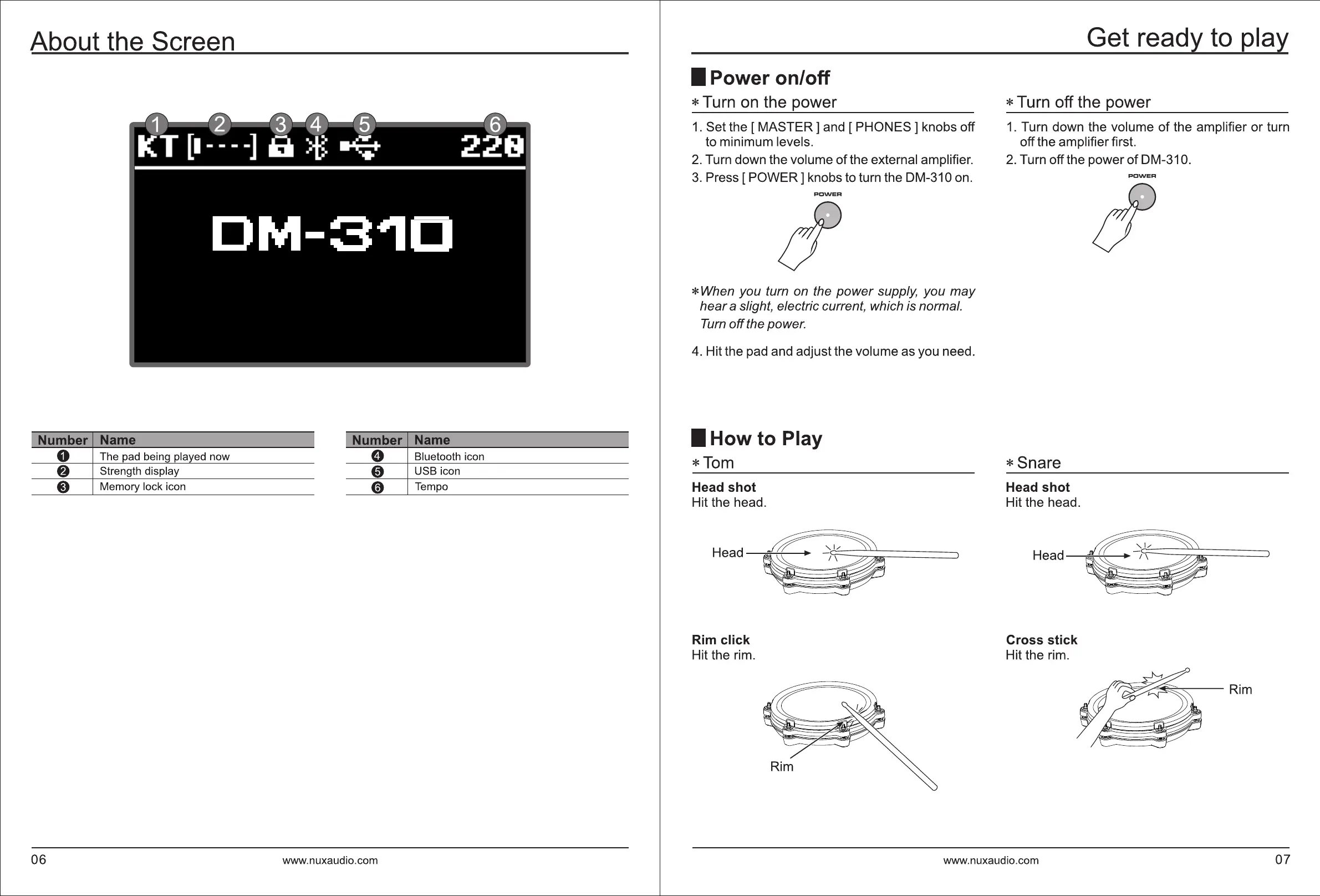
About the Screen
I Number Name
I
I Number Name
I
0 The pad being played now
0 Bluetooth icon
8 Strength display
0 USB icon
8 Memory lock icon
0 Tempo
06
www.nuxaudio.com
I Power on/off
* Turn
on
the power
1.
Set the
[MASTER]
and
[PHONES]
knobs off
to minimum levels.
2.
Turn down the volume
of
the external amplifier.
3.
Press
[POWER]
knobs to turn the DM-310 on.
PCWER
* When you turn on the
power
supply, you
may
hear
a slight, electric current, which is normal.
Turn
off
the power.
4.
Hit the pad and adjust the volume as you need.
I How to Play
*Tom
Head shot
Hit the head.
Head
Rim
click
Hit the rim.
Get ready
to
play
*Turnoff
the power
1.
Turn down the volume
of
the amplifier
or
turn
off the amplifier first.
2. Turn off the power
of
DM-310.
* Snare
Head shot
Hit the head.
Head
Cross stick
Hit the rim.
PCWER
www.nuxaudio.com 07

Related product manuals