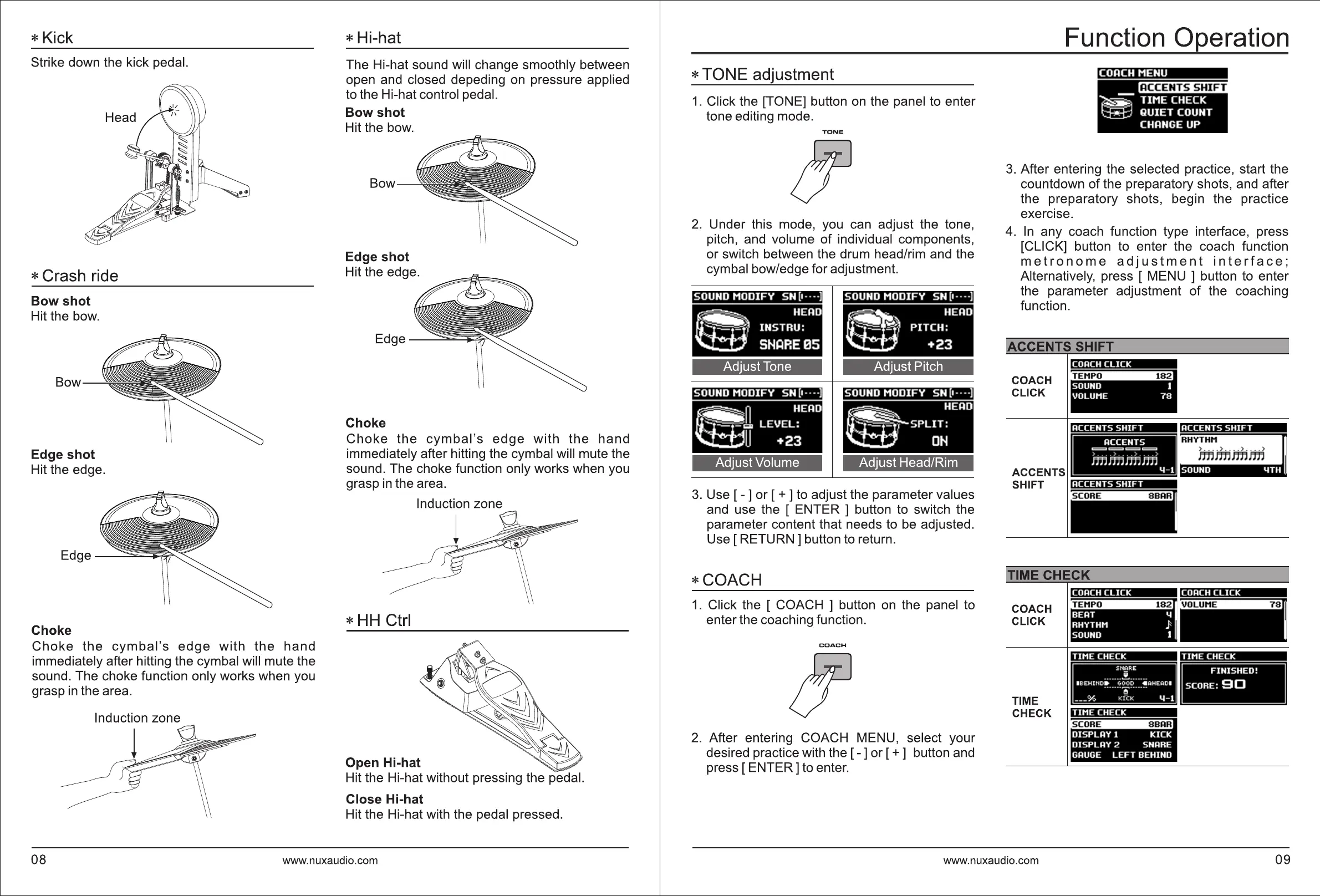
*Kick
Strike down the kick pedal.
* Crash ride
Bow shot
Hit the bow.
Bow
Edge shot
Hit the edge.
Choke
Choke
the
cymbal's
edge
with
the
hand
immediately after hitting the cymbal will mute the
sound. The choke function only works when you
grasp
in
the area.
Induction zone
* Hi-hat
The Hi-hat sound will change smoothly between
open and closed depeding
on
pressure applied
to the Hi-hat control pedal.
Bow shot
Hit the bow.
Bow
Edge shot
Hit the edge.
Choke
Choke
the
cymbal's
edge
with
the
hand
immediately after hitting the cymbal will mute the
sound. The choke function only works when you
grasp
in
the area.
Induction zone
*
HH
Ctrl
Open Hi-hat
Hit the Hi-hat without pressing the pedal.
Close Hi-hat
Hit the Hi-hat with the pedal pressed.
08
www.nuxaudio.com
* TONE adjustment
1.
Click the [TONE] button
on
the panel to enter
tone editing mode.
TONE
2.
Under this mode, you can adjust the tone,
pitch, and volume
of
individual components,
or switch between the drum head/rim and the
cymbal bow/edge for adjustment.
SOUND
MODIFY
SN (1 · · · ·)
~
HEAD
INSTRU:
SHARE
05
Adjust Tone
SOUND
MODIFY
SN (1 · · ·
·)
~ n
HEAD
1.11
LEVEL:
LJ
+23
Adjust Volume
SOUND
MODIFY
SN (1 · · ·
·)
~
HEAD
~
PITCH:
+23
Adjust Pitch
SOUND
MODIFY
SN (1 · · ·
·)
~
HEAD
~SPLIT:
OH
Adjust Head/Rim
3.
Use [ - ] or [ + ] to adjust the parameter values
and use the [ ENTER ] button to switch the
parameter content that needs to be adjusted.
Use
[RETURN]
button to return.
*COACH
1.
Click the [ COACH ] button
on
the panel to
enter the coaching function.
COACH
2.
After entering COACH MENU, select your
desired practice with the [ - ] or [ + ] button and
press [ ENTER] to enter.
Function Operation
COACH MENU
~
TIME
CHECK
QUIET
COUNT
CHANGE UP
3.
After entering the selected practice, start the
countdown
of
the preparatory shots, and after
the preparatory shots, begin the practice
exercise.
4.
In
any coach function type interface, press
[CLICK] button to enter the coach function
metronome
adjustment
interface;
Alternatively, press [ MENU ] button to enter
the parameter adjustment
of
the coaching
function.
~CCENTS
SHIFT
COACH
CLICK
COACH
CLICK
SOUNO 1
VOLUME
78
ACCENTS
SHIFT
iTIME
CHECK
COACH
CLICK
TIME
CHECK
COACH
CLICK
BEAT 4
RHYTHM }
SOUND 1
TIME
CHECK
Sfl~RE
....... i ...... .
I BE HH<0I>
6000
e ~HE~OI
·······
i!,
·······
___
% f(ICK 4 - 1
TIME
CHECK
, .
DISPLAY
l
KICK
DISPLAY
2 SNARE
GAUGE
LEFT
BEHI
ND
ACCENTS
SHIFT
TIME
CHECK
FI
N
ISHED!
SCORE: 9 0
www.nuxaudio.com
09



 To Next Page