EasyManua.ls Logo

Oberheim Matrix-1000 - Page 35

Oberheim Matrix-1000
64 pages
Print Icon
To Next Page IconTo Next Page
To Previous Page IconTo Previous Page
Loading...
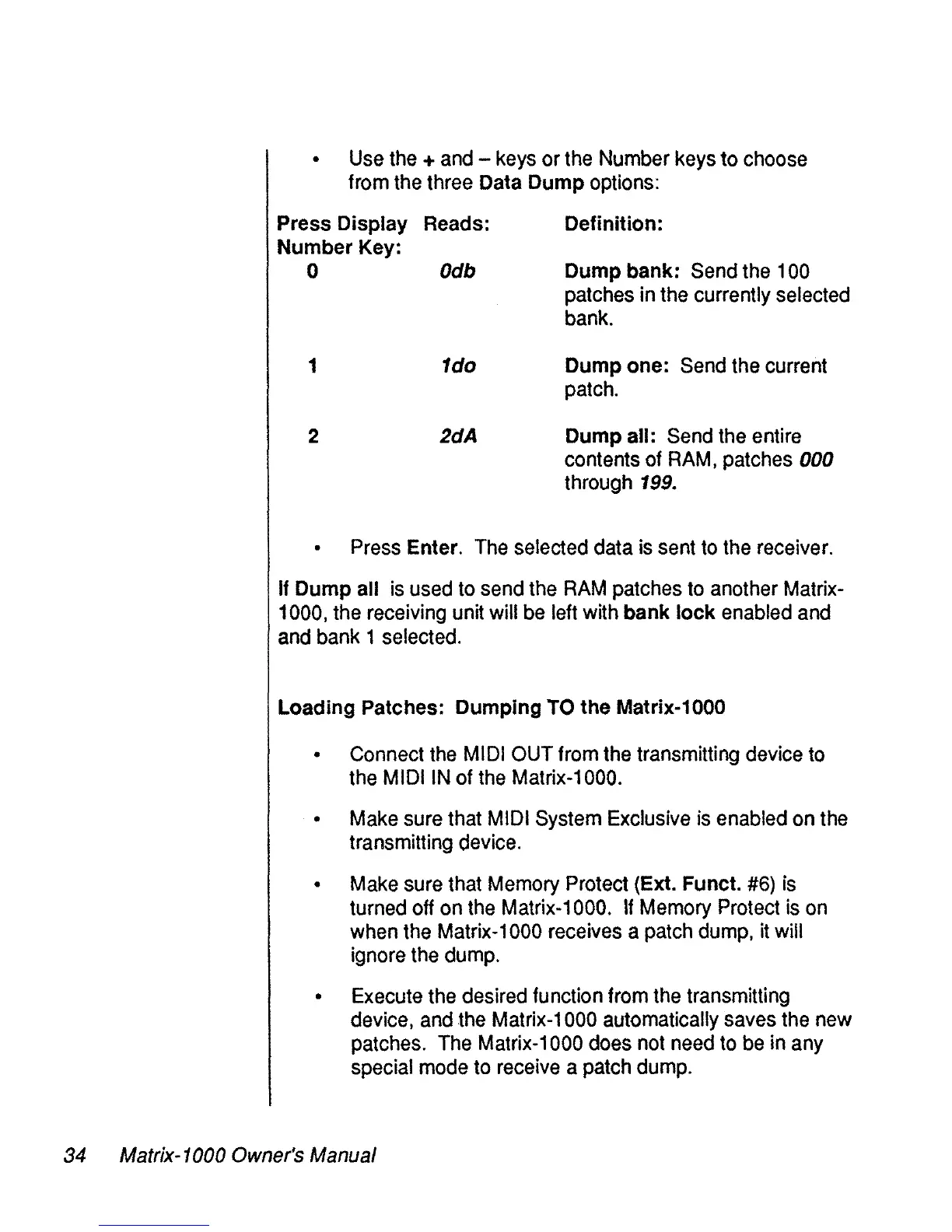
Use
the
+
and
-
keys
or
the
Number
keys
to
choose
from
the
three Data Dump options:
Press Display Reads:
Number Key:
o Odb
1 1do
2 2dA
Definition:
Dump bank:
Send
the
100
patches
in
the
currently selected
bank.
Dump one:
Send
the
current
patch.
Dump ail:
Send
the
entire
contents of
RAM,
patches
000
through
199.
Press
Enter.
The
selected data
is
sent
to
the
receiver.
If
Dump ail
is
used
to
send
the
RAM
patches
to
another Matrix-
1000,
the
receiving unit will
be
left with bank lock
enabled
and
and
bank 1 selected.
Loading Patches: Dumping
TO
the Matrix-1000
Connect
the
MIDI
OUT
from
the
transmitting device
to
the
MIDI
IN
of
the
Matrix-1000.
Make
sure
that
MIDI
System
Exclusive
is
enabled
on
the
transmitting
device.
Make
sure that
Memory
Protect (Ext. Funct.
#6)
is
turned
off
on
the
Matrix-1000.
If
Memory
Protect
is
on
when
the
Matrix-1000
receives
a
patch
dump,
it
will
ignore
the
dump.
Execute
the
desired function trom
the
transmitting
device,
and
the
Matrix-1000 automatically
saves
the
new
patches.
The
Matrix-1000
do
es
not
need
to
be
in
any
special
mode
to
receive
a
patch
dump.
34 Matrix-1000 Owner's Manual