
 Need help?
Do you have a question about the OBSIDIAN CONTROL SYSTEMS NETRON EN4 and is the answer not in the manual?
Please read and understand the instructions in this manual carefully and thoroughly before attempting to operate this device.
Contact your local Obsidian Controls Systems dealer or distributor for any product related service and support needs.
The Netron devices offer unique and powerful DMX management features. Most settings can be accessed from the intuitive display and menu system.
Lists the main capabilities of Netron devices, including sACN/Artnet conversion, presets, cues, and testing tools.
Instructions to download the latest software version from the support website before first use.
Details the 5-pin female XLR DMX output connections, pinout, and best practices for connecting cables.
Explains Ethernet cable connection, daisy-chaining limits, and using Ethernet for remote configuration.
Describes the front panel features of the EN4, including DMX/RDM ports, OLED display, and encoder.
Explains the LED color coding for DMX port status (Error, DMX In, DMX Out).
Details the rear panel connections of the EN4, including power, RJ45 network ports, and fuse.
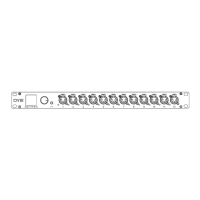
Describes the front panel features of the EN12, including 12 DMX/RDM ports, OLED display, and encoder.
Explains the LED color coding for DMX port status (Error, DMX In, DMX Out).
Details the rear panel connections of the EN12, including power, RJ45 network ports, contact closures, and fuse.
Describes the front panel features of the EP4, including 4 DMX/RDM ports and status indicator LED.
Explains the LED color coding for DMX port status (Error, DMX In, DMX Out).
Details the rear panel connections of the EP4, including USB-C power and RJ45 network ports.
 General
| Manufacturer | Obsidian Control Systems |
|---|---|
| Model | Netron EN4 |
| Category | Gateway |
| DMX Ports | 4 |
| Power Supply | 100-240V AC, 50/60Hz |
| Type | Ethernet to DMX Gateway |
| Protocols | Art-Net, sACN |
| Connectors | 5-pin XLR |
| Mounting | Rack |

 To Next Page