41
Use Océ DocSetter and Océ PRISMAproduction to print documents
Use Océ DocSetter and Océ PRISMAproduction to print
documents
Introduction
This section describes how to print documents on the Océ VarioPrint
®
6160/6200/6250 via Océ DocSetter
®
and Océ PRISMAproduction
®
.
Required tools
Océ DocSetter
®
version 2.10 or higher
Océ PRISMAproduction Version 3.10.04 or higher with PoD module
1. Start the Océ DocSetter
®
application.
2. From the 'File' menu, select 'Open' to open the file you want to print.
3. From the 'File' menu, select 'PRISMAproduction Print'.
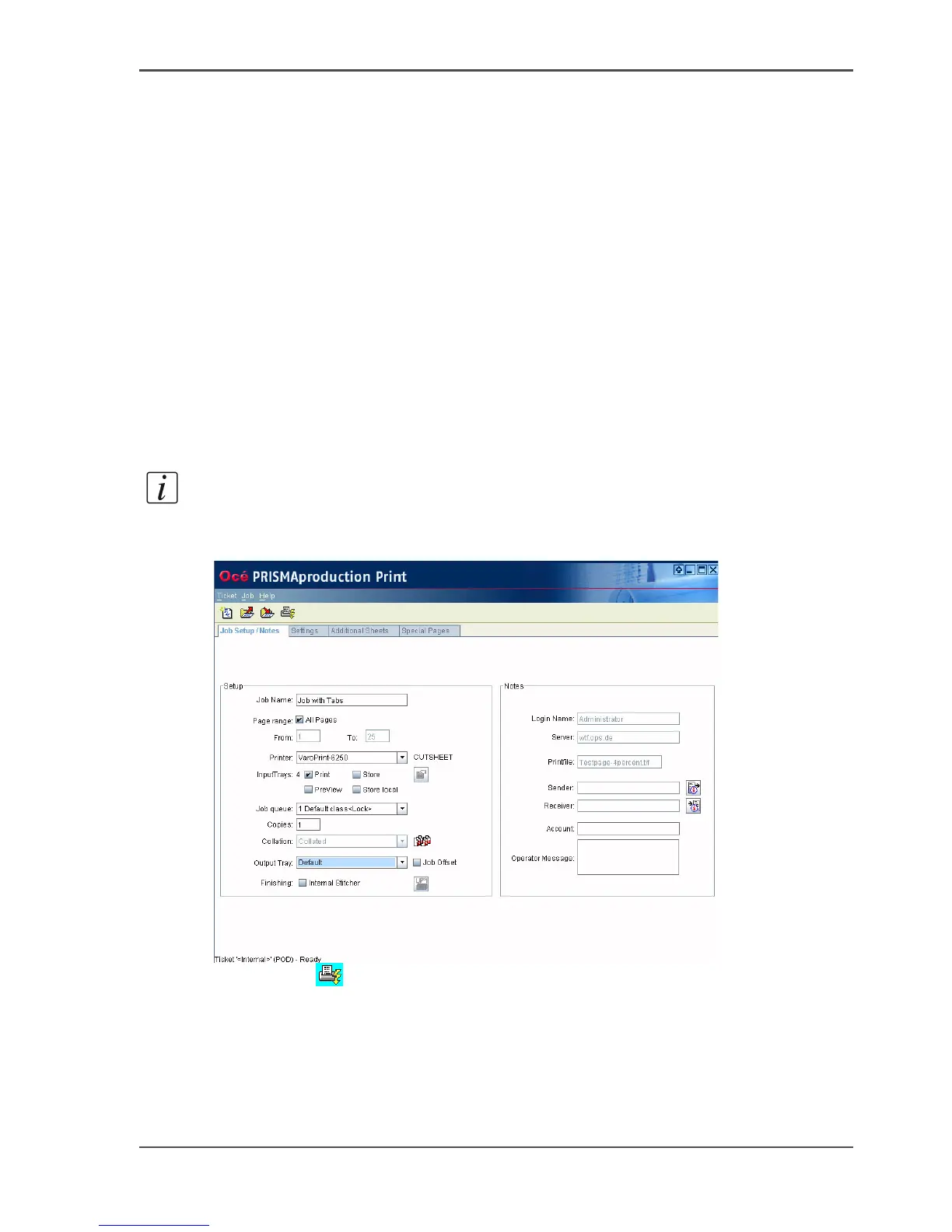
4. The Océ PRISMAproduction job ticket is displayed.
Note: You can only change the job name. You cannot change the name of the print
file.
5. Define the settings in the job ticket. Check if the job class and the printer are correct.
[30]
6. Click 'Print' .
Check that the print job appears in the "All Jobs" directory.
The printer must be ready and active in order to print the job.














 To Next Page