61
Use Océ DPconvert and Océ Doc Works to print Xerox RDO files
Use Océ DPconvert and Océ Doc Works to print Xerox RDO
files
Introduction
The Océ PRISMA
®
architecture includes the Océ DPconvert
®
software. Together
with Océ Doc Works
®
, this software enables you to print Xerox
®
Raster Document
Object (RDO) files on the Océ VarioPrint
®
6160/6200/6250.
RDO files contain extensive 'Page program' information about tabs and stapling, for
example. The Océ DPconvert
®
software enables you to automate the production of
these documents in an Océ environment in the same way as in a Xerox
®
environment.
RDO is the Xerox
®
data format for print jobs. RDO files contain rastered print pages,
information about the print file, and device-specific information about the printer
and the post-processing methods.
The Océ DPconvert
®
software provides an easy-to-use converter for Xerox
®
RDO
files. The RDO files are converted into an Océ Doc Works
®
format. The processing
information (the job ticket) is also converted so that most of the automated workflow
is preserved. The only features not incorporated are those not supported by the
respective printer version.
Required tools
Océ VarioPrint
®
6160/6200/6250
Océ DPconvert
®
version 1.1 or higher
Océ Doc Works
®
V3.6.2
RDO print job
Convert RDO files
1. Open Océ DPconvert
®
.
2. Click 'File' --> 'Destination application'.
3. Make sure that Océ Doc Works
®
is defined as the 'Destination application'.
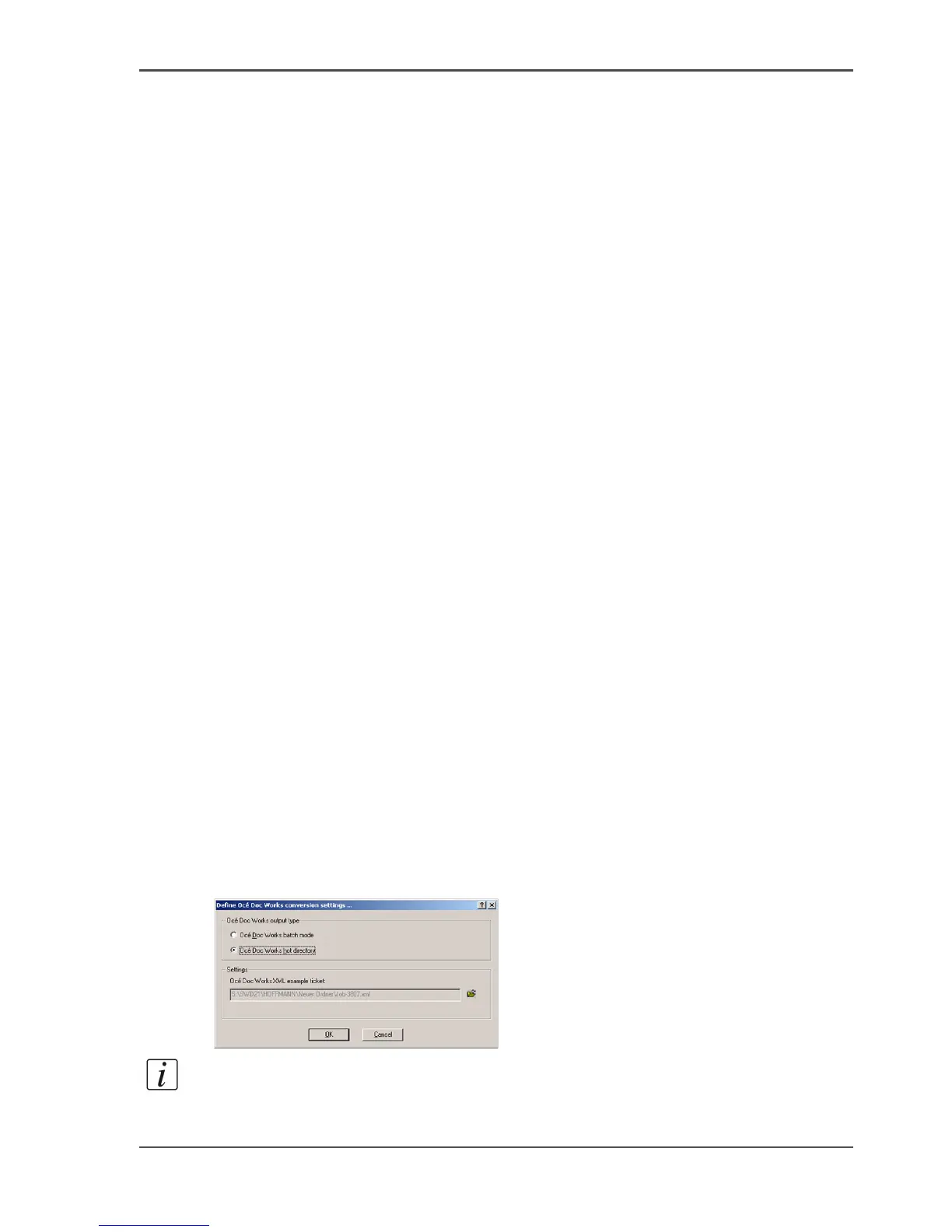
4. Select 'Define Océ Doc Works conversion settings' -> 'Océ Doc Works hot directory'.
[47]
Note: If you select this option, your converted job will be directly transferred to the
Océ Doc Works
®
operator console.














 To Next Page