- 23 -
CD player
Select CD Player mode (press Home button and navigate to CD mode)
and insert a CD into the CD player slot.
The radio will automatically start playing the first track on the CD with
the next track to be played selected automatically according to the
playback option selected In Configuration mode under Playback Setup
i.e. repeat all, repeat one, shuffle or normal.
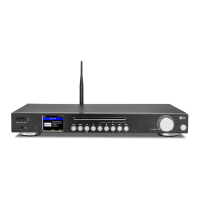
To change tracks when a track is playing press the Previous or Next
button on the front of the radio or on the remote controller.
To stop playing the CD press Stop button (front of radio) or Eject the
CD from the player.
To pause playing the CD press Play/Pause button – to restart playing
press Play/Pause button again.
To replay a CD already in the player press Stop and Play/Pause
buttons – after a short delay the first track will start playing
Presets cannot be used in the CD player mode.
15


 To Next Page