- 28 -
Skytune Web Application for Internet Radio
www.skytune.net
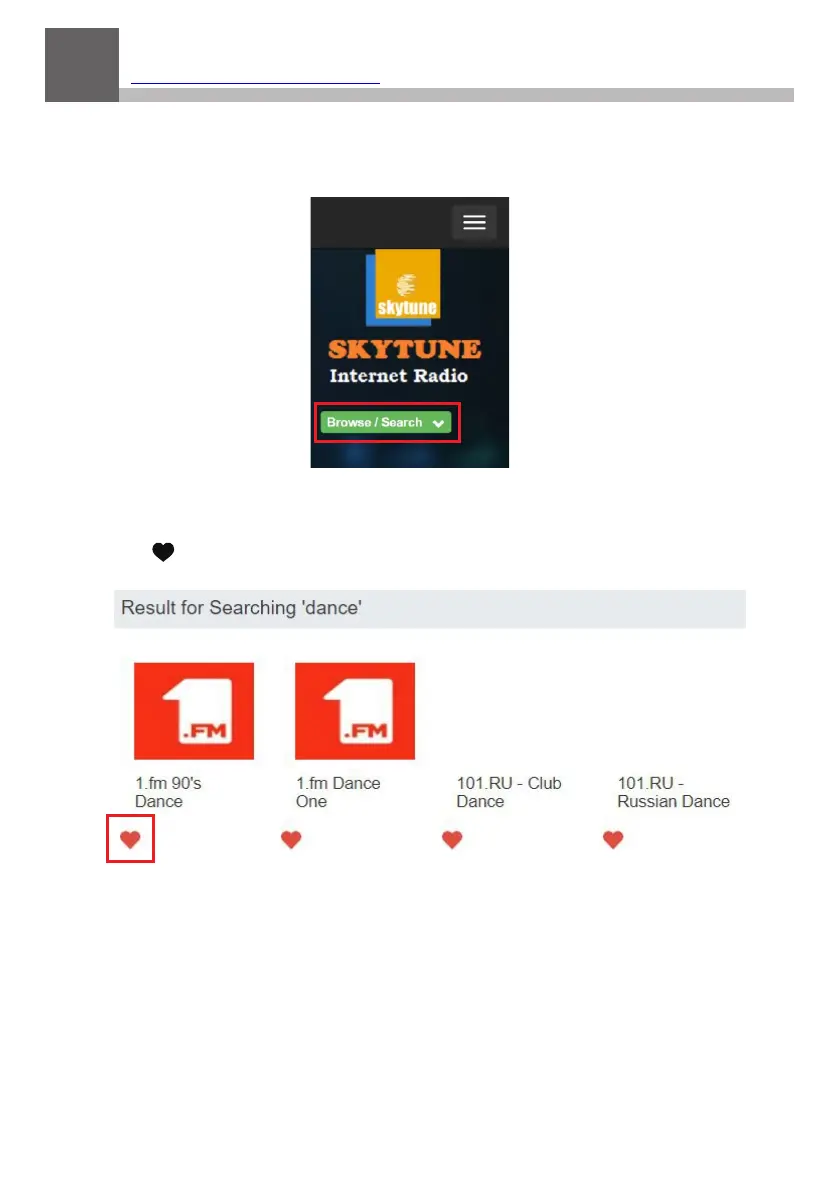
Browse / Search
On the opening page click Browse / Search at the lower right side of
the page.
Enter the name of a Radio Station or Browse the structured list of
stations available, select the one of interest and click on the heart
symbol ( ) when the station logo is displayed.
The Radio Tuner connection page will ask if the station is to be played
or saved in your My Favorite list.
To make an Internet connection to the Radio Tuner it’s IP address must
be entered in the space provided – the Radio Tuner IP can be found at
Configuration > Information > Network Information.
19



 To Next Page