- 30 -
Adding a Radio Station
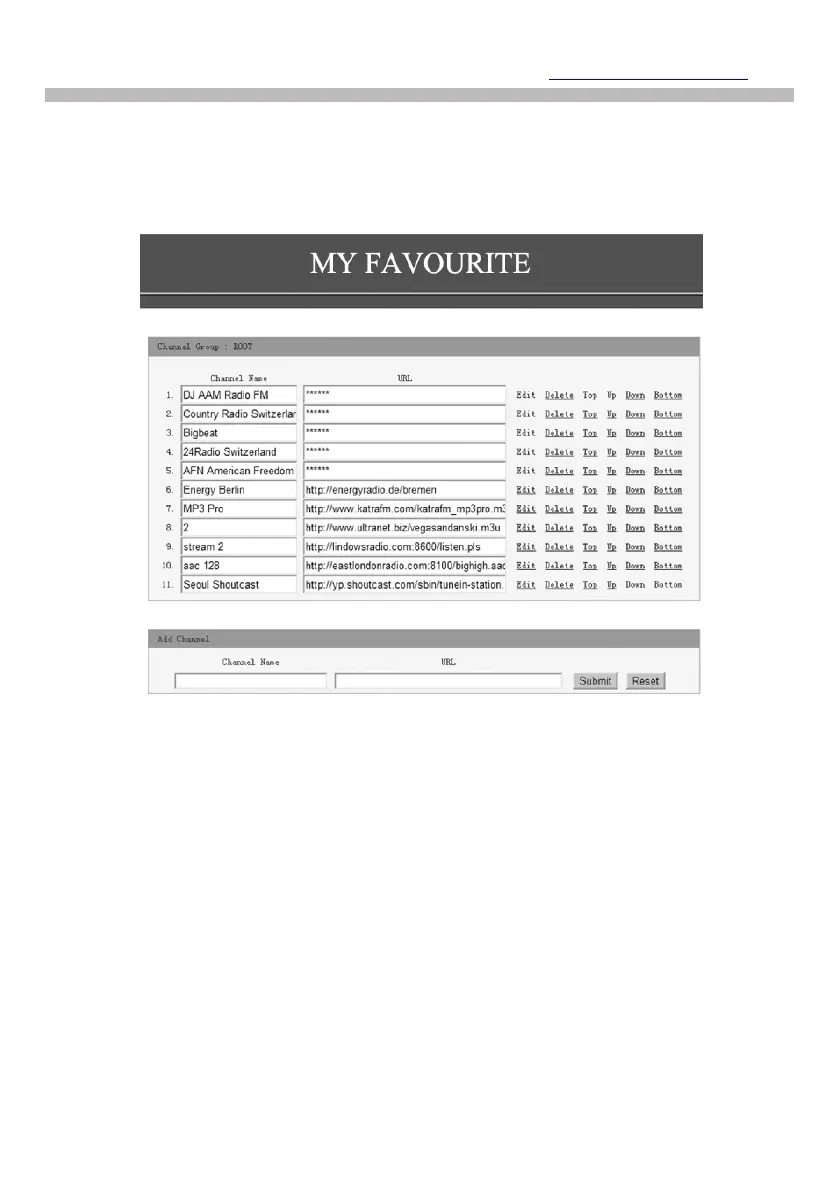
To add a Radio Station its name and URL can be entered in the Add
Channel section along with selecting the Country where it is located
and Genre of audio entertainment it provides.
Smart Phone, Tablet or Computer Control
With device connected to the same Wi-Fi network as the Radio Tuner
use web browser to edit lists and add radio stations.
Enter the Radio Tuners IP address ( Configuration > Information >
Network to find IP address) as web address and a window will open to
edit lists e.g. add your favorite radio station URL if it is not in the list .
Note: Only audio stream URL from radio stations will function correctly
i.e. web site, web player or any other types of URL are not compatible
and will not function correctly.
Skytune Web Application for Internet Radio www.skytune.net


 To Next Page