51
During conditions in which Cautionary type information is displayed (e.g., No Decompres-
sion Safety Stop, Decompression, High PO2, etc.), there is a Main Display of important
information relevant to the specific condition. The diver can access another display, but it
will automatically revert to the Main Display after 3 seconds.
To activate the
Backlight
during a dive, press the Right (Select) button.
The display will be illuminated as long as the button is depressed, plus it will remain
illuminated for the Backlight Duration time that has been set (3 or 7 seconds).
The Backlight will not activate during a Low Battery condition or if the Backlight dura-
tion is set for 0.
NO DECOMPRESSION DIVE MODE
The Pro Plus 2 will enter the No Decompression Dive Mode
when you descend deeper than 4 feet (1.2 meters).
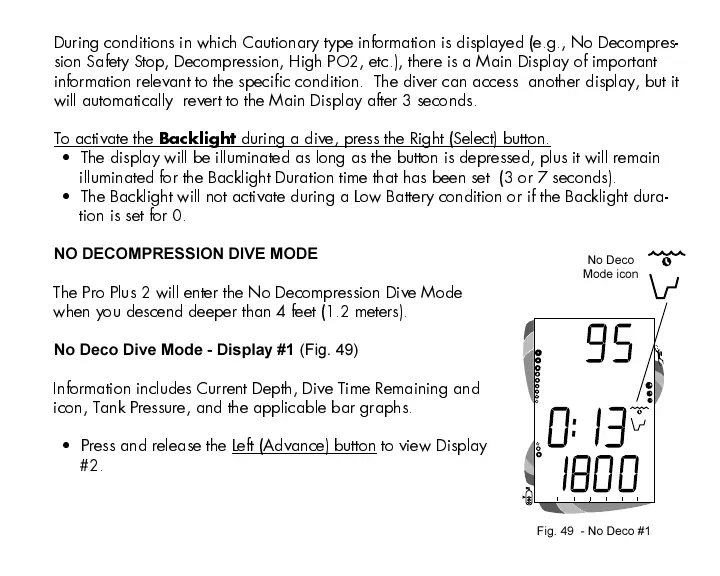
No Deco Dive Mode - Display #1 (Fig. 49)
Information includes Current Depth, Dive Time Remaining and
icon, Tank Pressure, and the applicable bar graphs.
Press and release the Left (Advance) button to view Display
#2.
Fig. 49 - No Deco #1
No Deco
Mode icon













 To Next Page