106
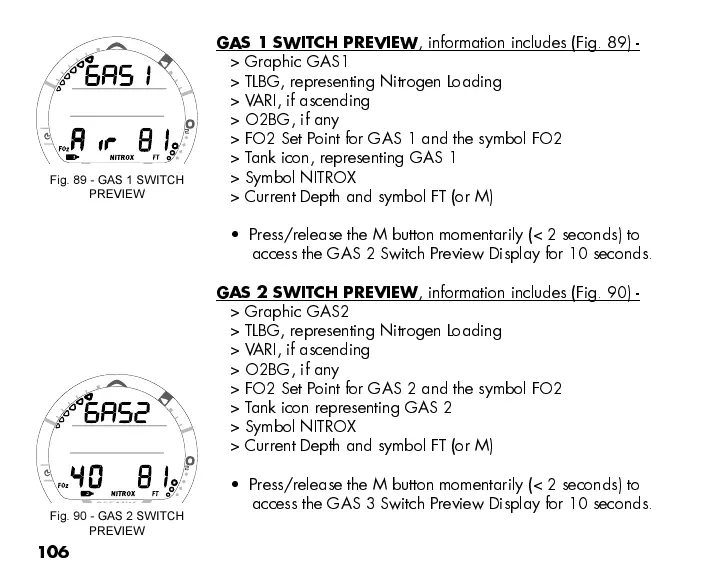
GAS 1 SWITCH PREVIEW
, information includes (Fig. 89) -
> Graphic GAS1
> TLBG, representing Nitrogen Loading
> VARI, if ascending
> O2BG, if any
> FO2 Set Point for GAS 1 and the symbol FO2
> Tank icon, representing GAS 1
> Symbol NITROX
> Current Depth and symbol FT (or M)
Press/release the M button momentarily (< 2 seconds) to
access the GAS 2 Switch Preview Display for 10 seconds.
GAS 2 SWITCH PREVIEW
, information includes (Fig. 90) -
> Graphic GAS2
> TLBG, representing Nitrogen Loading
> VARI, if ascending
> O2BG, if any
> FO2 Set Point for GAS 2 and the symbol FO2
> Tank icon representing GAS 2
> Symbol NITROX
> Current Depth and symbol FT (or M)
Press/release the M button momentarily (< 2 seconds) to
access the GAS 3 Switch Preview Display for 10 seconds.
Fig. 89 - GAS 1 SWITCH
PREVIEW
Fig. 90 - GAS 2 SWITCH
PREVIEW



 To Next Page