123
Press the S button to activate the SmartGlo Backlight.
Depress the M button for 2 seconds to access NORM SURF
MAIN.
Press and release the A button momentarily (< 2 seconds) to
access FREE SURF ALT 1.
Press and release the A button momentarily (< 2 seconds) to
while viewing ALT 1 to access FREE SURF ALT 2.
Depress the A button for 2 seconds to access the FREE SURF
CDT (CountDown T imer) STATUS screen, allowing you to
Set/Start/Stop the Timer.
Depress the A and S buttons simultaneously for 2 seconds to
access the SET FREE EDT (Elapsed Dive Time) ALARM
Display from which you can then access the SET FREE
DEPTH ALARM 1/2/3 Displays.
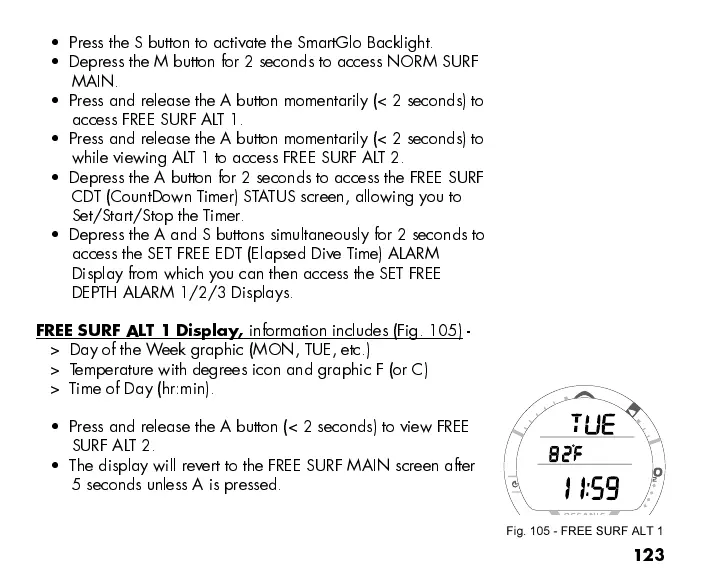
FREE SURF ALT 1 Display,
information includes (Fig. 105) -
> Day of the Week graphic (MON, TUE, etc.)
> Temperature with degrees icon and graphic F (or C)
> T ime of Day (hr:min).
Press and release the A button (< 2 seconds) to view FREE
SURF ALT 2.
The display will revert to the FREE SURF MAIN screen after
5 seconds unless A is pressed.
Fig. 105 - FREE SURF ALT 1



 To Next Page