ODYS Multi Pocket TV 430
EN
Black
yellow
red
Signal path
TV
White
/V cable
5 Connecting the Multi Pocket TV 430
• The DVB-T player, the television set and any other electric devices to be connected to
the DVB-T player must be switched off and disconnected from the mains.
• Observe the colour coding when connecting audio and video cables.
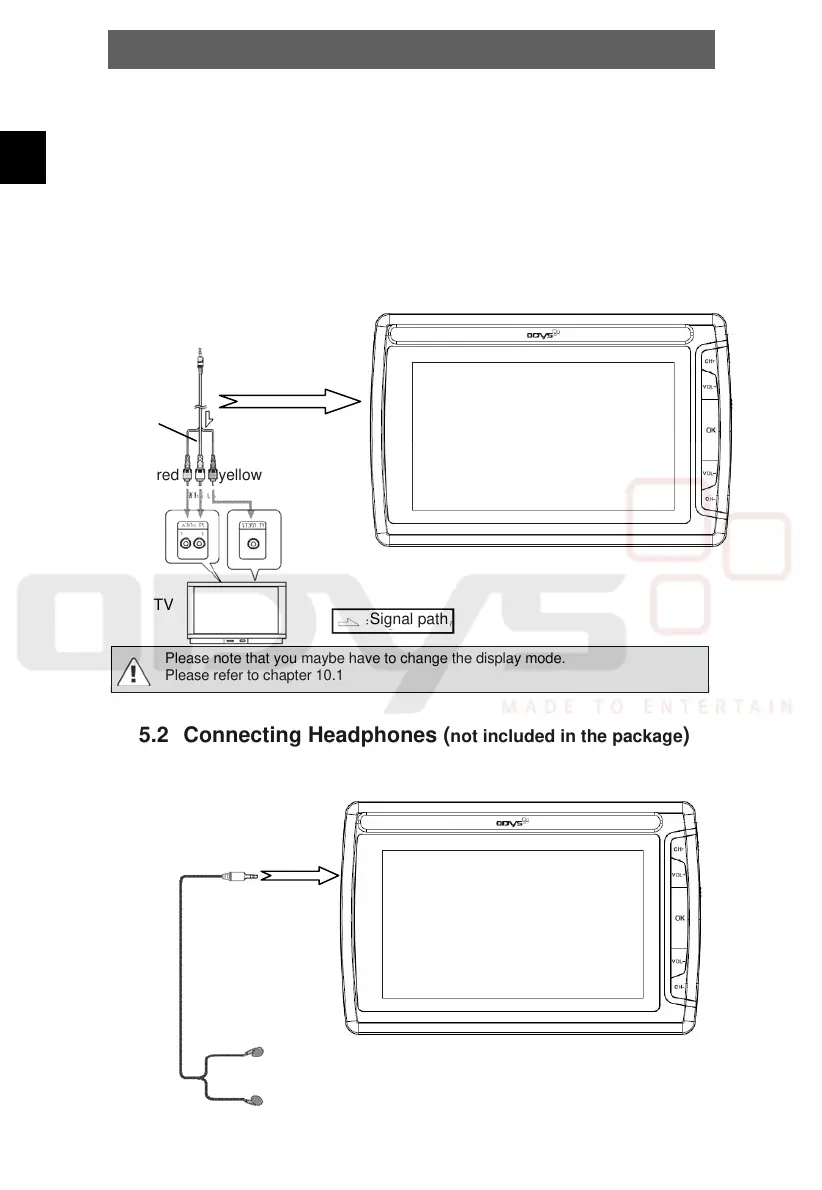
5.1 Connecting to a television set
Audio/Video-Connection
Using the A/V cable, connect the Multi Pocket TV 430 to the AV input of the television
set as shown in the illustration.
Please note that you maybe have to change the display mode.
Please refer to chapter 10.1
5.2 Connecting Headphones (not included in the package)
Connect the headphones to the headphone/AV jack on the right side of the device. the
Loudspeaker is automatically deactivated.



 To Next Page