ODYS Multi Pocket TV 430
9
EN
Caution
Excessively high volume can damage your hearing. Turn the volume down before
connecting the headphones and then turn the volume up to a moderate level.
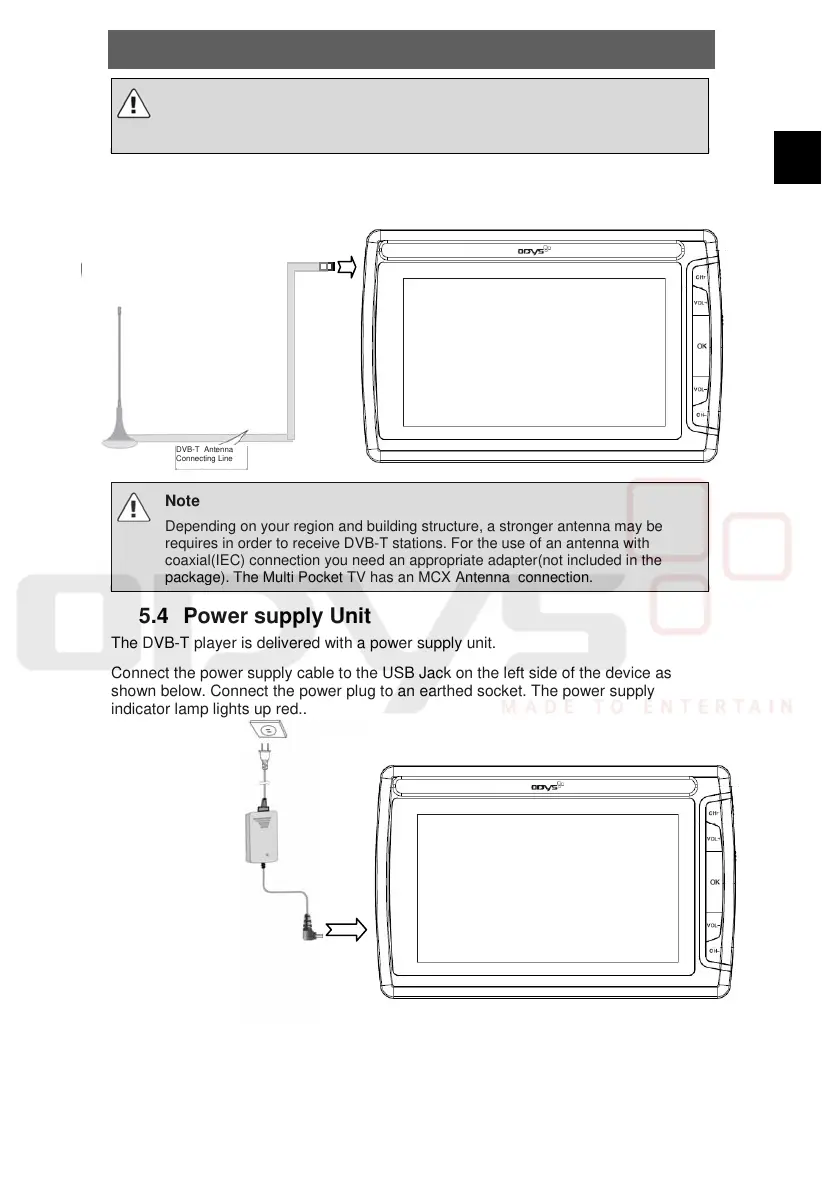
5.3 Connecting Additional DVB-T-Antenna
Connect the DVB-T-Antenna with DVB-T-Antenna connection jack.
Note
Depending on your region and building structure, a stronger antenna may be
requires in order to receive DVB-T stations. For the use of an antenna with
coaxial(IEC) connection you need an appropriate adapter(not included in the
package). The Multi Pocket TV has an MCX Antenna connection.
5.4 Power supply Unit
The DVB-T player is delivered with a power supply unit.
Connect the power supply cable to the USB Jack on the left side of the device as
shown below. Connect the power plug to an earthed socket. The power supply
indicator lamp lights up red..
The illustration may vary
DVB-T Antenna
Connecting Line



 To Next Page