34
. Installation
CPA-E and CPA-E S PWM series
.. Changing of the position of the terminal box
The terminal box can be rotated by °.
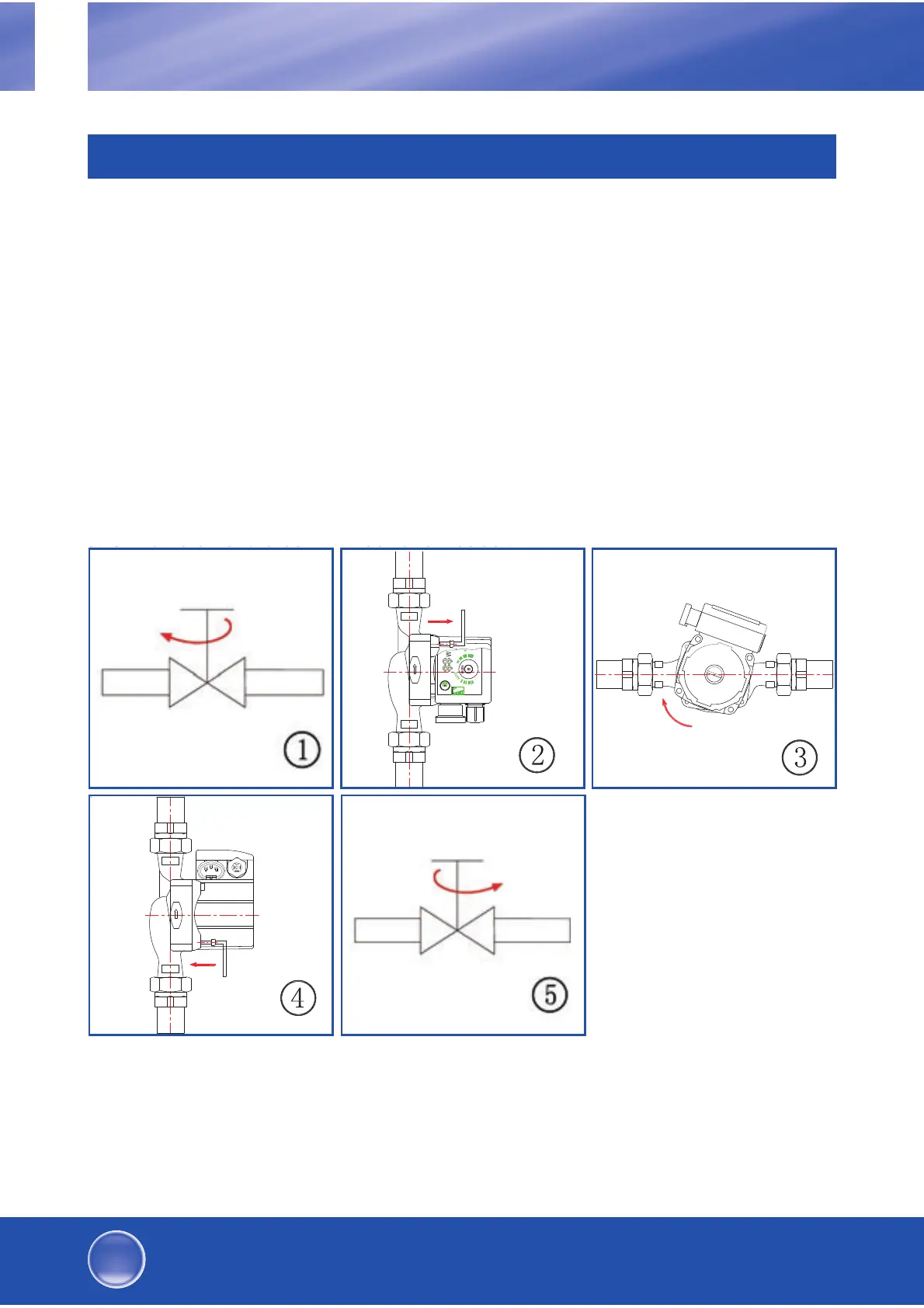
Steps required:
. Please close the flow and return valves and release the pressure.
. Loosen the four hexagon socket screws in the pump housing.
. Turn the motor into the required position (see fig.).
. Tighten the screws in CW direction.
. Open the flow and return valves.
3RVLWLRQ GHV V
GHU 3RVLWLRQ V V
KLHUIUVLQG
gIIQHQ
GB
High-efficiency heating and solar circulation pumps


 To Next Page