Need help?
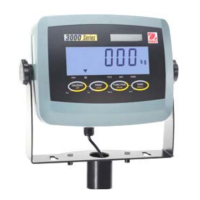
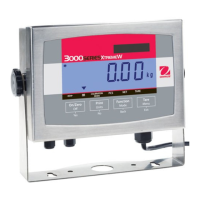
Do you have a question about the OHAUS 3000 Series T32XW and is the answer not in the manual?
For safe and dependable operation, comply with safety precautions.
Guides on connecting RS232 cable and AC power to the indicator.
Illustrates the hierarchical structure of the indicator's menus.
Explains how to navigate through the indicator's menus using buttons.
Details the two-point process for adjusting the scale's accuracy.
Describes the three-point process for calibrating the scale's linearity.
Configures the legal for trade status and its implications on other settings.
Sets the maximum scale capacity from 5 to 20000.
Adjusts signal filtering for stability and stabilization time.
Configures automatic zero tracking functionality based on drift.
Enables or disables the Parts Counting application mode.
Enables or disables the Kilogram unit.
Enables or disables the Pound unit.
Sets the communication baud rate for printing.
Sets the number of stop bits for serial communication.
Sets automatic printing functionality based on stability or interval.
Locks or hides the Calibration menu.
Locks or hides the Setup menu.
Locks or hides the Readout menu.
Describes how to change the weighing units displayed on the indicator.
Details the process of weighing an item on the scale.
Explains how to use the indicator for parts counting.
Lists serial interface commands and their functions.
Steps to configure and prepare the indicator for legal for trade use.
Describes methods for sealing the indicator to prevent tampering.
Provides a table of common symptoms, causes, and remedies.
Lists available accessories and their part numbers.
Shows overall dimensions of the indicator with the mounting bracket.
Lists standards to which the product conforms, indicated by product marks.
Compliance information regarding FCC rules for digital devices.
Compliance information for Class A digital apparatus under Canadian ICES-003.
Outlines the terms and conditions of the Ohaus product warranty.
 General
| Brand | OHAUS |
|---|---|
| Model | 3000 Series T32XW |
| Category | Touch Panel |
| Language | English |

 To Next Page