21
4. OPERATION
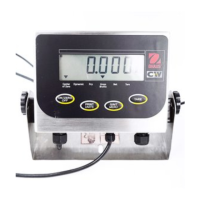
Before using the Indicator, make sure it has been properly set up and calibrated. Refer to Sections 2 and 3 and
review settings. Four buttons are used: ON/OFF - Power on or OFF, PRINT/UNITS - short press prints data, long
press changes unit of measure, ZERO/MENU - short press = 0, long press = enter setup menu, G/N/T/TARE - short
press repeated selects UNITS for display, long press = enter tare.
4.4 Tare Operation
When weighing material or objects that must be held in a
container, taring stores the container weight in the
Indicator’s memory. To store the container weight,
proceed as follows:
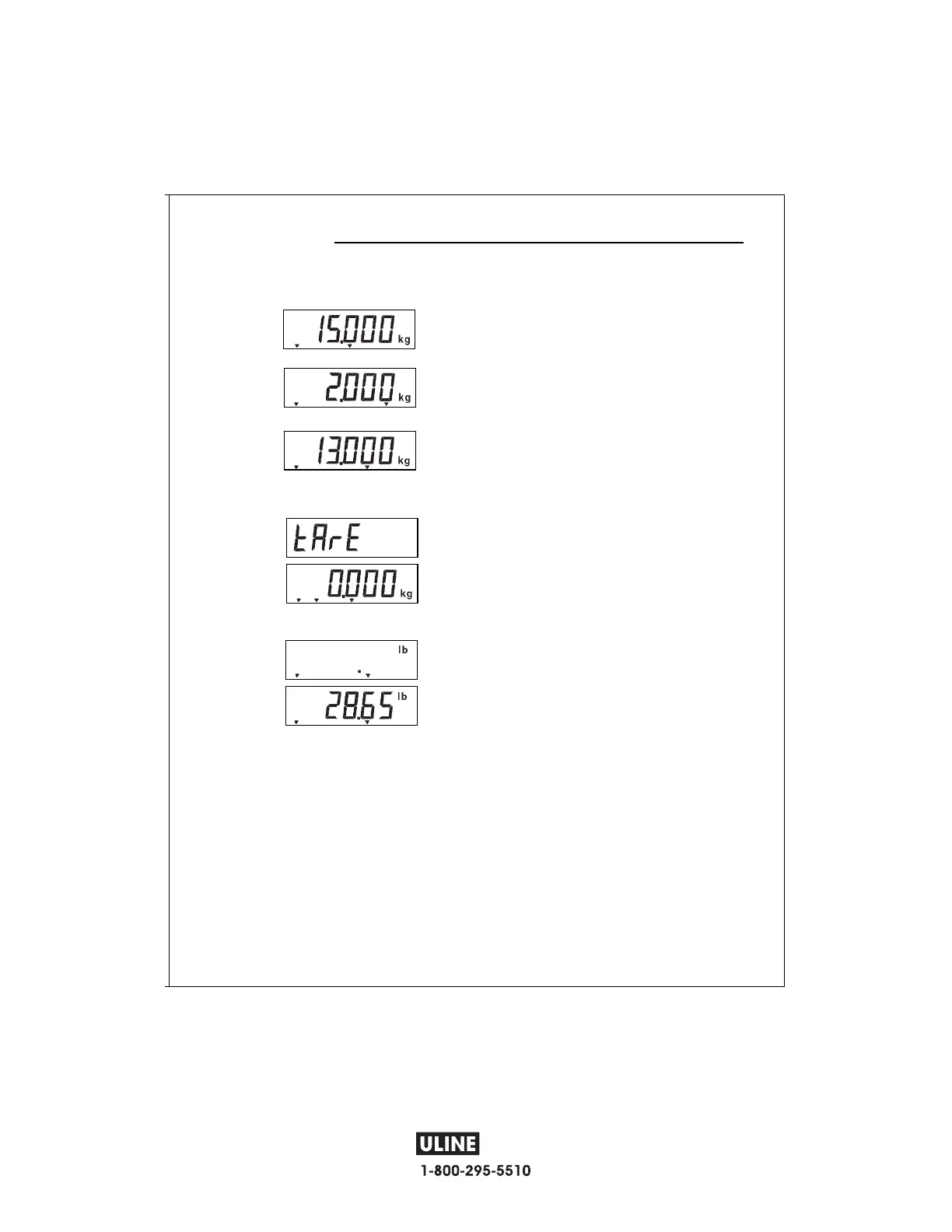
• Place the container on the scale. Sample shown is
2kg.
• Press and hold G/N/T Tare button until tArE is
displayed, then release button. Scale is tared and
shows Net weight.
NOTE: Stable cursor must be lit to accept tare
operation.
If the tare weight is removed from the scale, the Net
weight is displayed as a negative value
4.1 Turning On Indicator
• Press and hold On/Off button until the LCD display
appears, then release On/Off button. The display
momentarily displays segment check, the software
revision of the Indicator and then goes into a weigh-
ing mode. If the Indicator has been properly set up
and connected, the display should be as shown to the
left. The decimal point position may be different
depending on the setup of the Indicator.
4.2 Turning Off Indicator
• To turn the Indicator off, press the On/Off button until
OFF is displayed.
4.3 Zero Operation
• Using a
short
duration press, press Zero/Menu
button to zero the Indicator. The display acknowl-
edges by indicating the selected measuring unit
followed by a zeroed display.
NOTE: Stable cursor must be lit to accept zero
operation.
• Place item to be weighed on the scale platform.
The display indicates a sample of 15kg, gross weight.
Gross
Stable
Stable Net
Stable
Gross
CD-11 Indicator
22
4. OPERATION (Cont.)
4.6 Clear Tare Operation
To clear the tared weight stored in memory, proceed as
follows:
• With no load on the scale base, press and hold G/N/T
Tare button until tArE is displayed, then release
button.
Stable
4.5 Gross/Net/Tare Recall Operation
GrossStable
When a container has been placed on the platform and
tared, it's weight is stored in memory. Adding material to
the container is shown as NET weight. The gross weight
is a combination of the tared weight and the material.
The G/N/T Tare button allows switching between
GROSS, NET and TARE weights.
• Repeately press (short presses) the G/N/T Tare
button to cycle through Gross, Tare and Net readings.
The sample illustrations indicate a tare weight of2kg
simulating a container, a net weight of 13kg which
would be the material in a container and a gross
weight of 15kg which is the total weight of the con-
tainer and material.
Stable Tare
Stable Net
Gross
Center
of zero
4.7 Unit Switch Operation
To switch measuring units, proceed as follows:
• Press and hold Print Units button until display
changes to selected measuring unit. If grams and kg
were enabled, you have a choice of g, lb or kg. the
display sample indicates 13kg load changed to lbs
shown as a net weight because a tared weight of 2kg
was used and stored in memory.
Stable
Net
CD-11 Indicator


 To Next Page