
 To Next Page

J
Justin FreemanSep 3, 2025
What does Err 8.2 mean on OHAUS Ranger 3000 Scales?
- BbtorresSep 3, 2025
If your OHAUS scale displays 'Err 8.2', it indicates a Power On Error because the weight reading is below the Power On Zero limit.

What does Err 8.2 mean on OHAUS Ranger 3000 Scales?
If your OHAUS scale displays 'Err 8.2', it indicates a Power On Error because the weight reading is below the Power On Zero limit.
What to do if OHAUS Ranger 3000 battery fails to charge fully?
If the battery on your OHAUS scale fails to charge fully, it is likely that the battery is defective. You should have the battery replaced by an Ohaus authorized service dealer.
What does NO.ACC mean on OHAUS Scales?
If your OHAUS scale displays 'NO.ACC', it means that gross and net weights cannot be accumulated together. Only accumulate gross or net weights; this function only works in LFT mode.
What does ref.err mean on OHAUS Ranger 3000?
If your OHAUS scale displays 'ref.err', it indicates an unacceptable reference weight. This means the reference weight is too small to define a valid reference. Increase the reference weight.
What does Lo.ref mean on OHAUS Ranger 3000?
If your OHAUS scale displays 'Lo.ref', it means there is a low reference weight warning. Increase the reference weight used on the scale.
What does Err 9.5 mean on OHAUS Ranger 3000 Scales?
If your OHAUS scale displays 'Err 9.5', it means there is a calibration data error, specifically that calibration data is not present.
Why can't I access a unit on my OHAUS Ranger 3000?
If you cannot access a specific unit on your OHAUS scale, the unit may not be enabled. Go to the menu settings and enable the unit you wish to use.
Why can't I access a mode on my OHAUS Scales?
If you cannot access a specific mode on your OHAUS scale, the mode may not be enabled. Go to the menu settings and enable the mode you wish to use.
What does Err 8.4 mean on OHAUS Ranger 3000?
If your OHAUS scale displays 'Err 8.4', it indicates an Under Range Error because the weight reading is below the Underload limit. Increase the weight on the scale.
How to fix OHAUS Ranger 3000 Scales that cannot turn on?
If you cannot turn on your OHAUS scale, the issue might be due to a lack of power. Verify that all connections are secure and that the voltage is correct.
Lists essential safety precautions to follow before and during scale operation.
How to use the scale for check weighing, check percent, and check count.
Detailed procedure for check count functionality.
Detailed procedure for check weighing functionality.
Detailed procedure for check percent functionality.
Instructions for performing scale calibration procedures.
Details on setting various scale parameters and defaults.
Enables or disables specific operational modes like Weigh, Percent, Count, Check, and Dynamic.
Details on audit trail sealing for US and Canada compliance.
Steps for setting up the scale for legal for trade use.
Lists common problems, their causes, and remedies for the scale.
Details compliance marks and verification requirements for weighing instruments.
 General
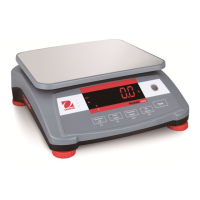
| Display | LCD with white LED backlight |
|---|---|
| Calibration | External calibration |
| Auto-off | Yes |
| Power Supply | AC adapter or rechargeable battery |
| Communication | RS232 |
| Operating Temperature | -10°C to 40°C |
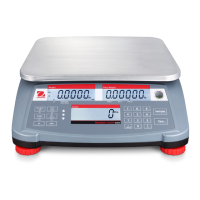
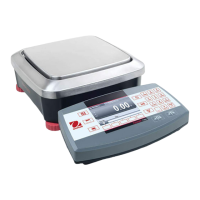
| Applications | Weighing, Parts Counting, Check Weighing, Dynamic Weighing, Accumulation, Display Hold |
| Interface | RS232 |
| Readability | 0.1g |
| Pan Size | 225 mm x 300 mm |
| Protection | IP54 |
| Units of Measurement | g, kg, lb, oz, lb:oz, ct, N, custom |