73 > B401/B411/B431
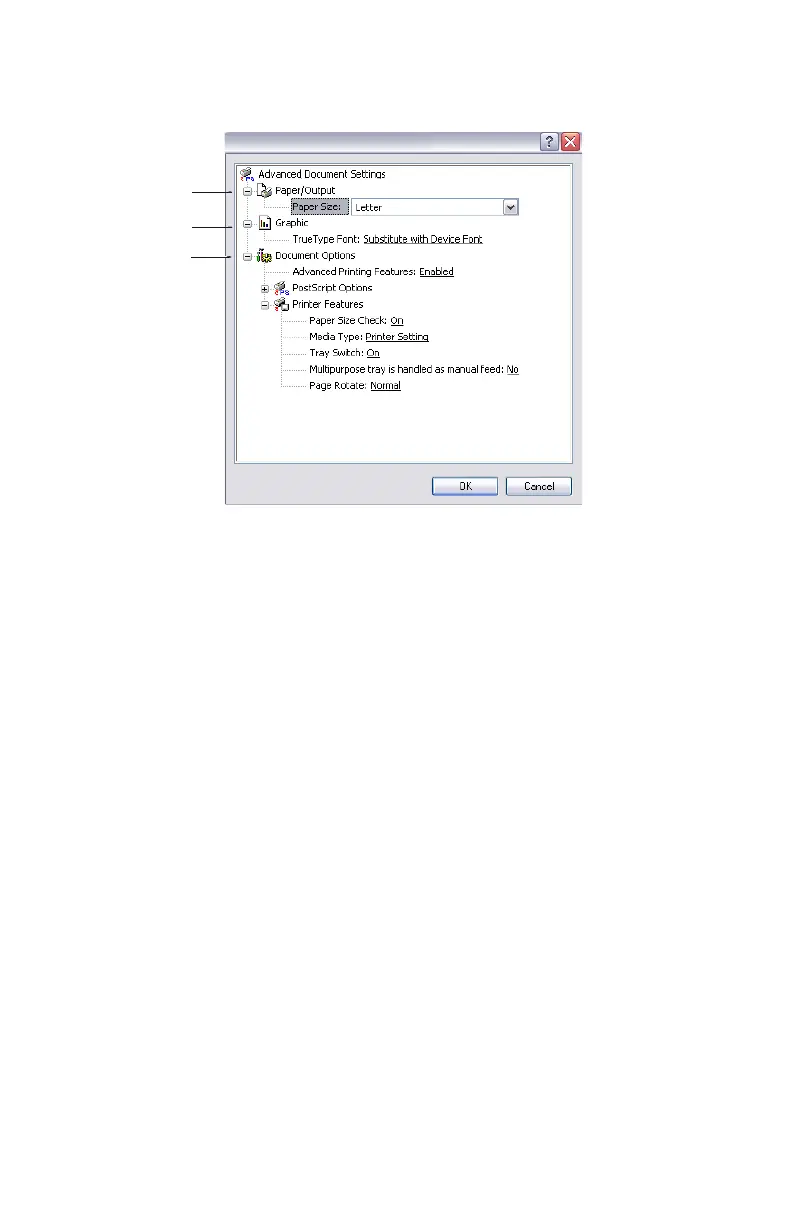
5. Click the Advanced button to be able to set further
document options as follows:
1. Select the required printed paper size.
2. You can substitute another font for TrueType Font.
3. You can set other document options as required, including
PostScript options and printer features.
1
2
3
My Printer Advanced Options



 To Next Page