C5800 Ldn User’s Guide
Replace an Image Drum • 60
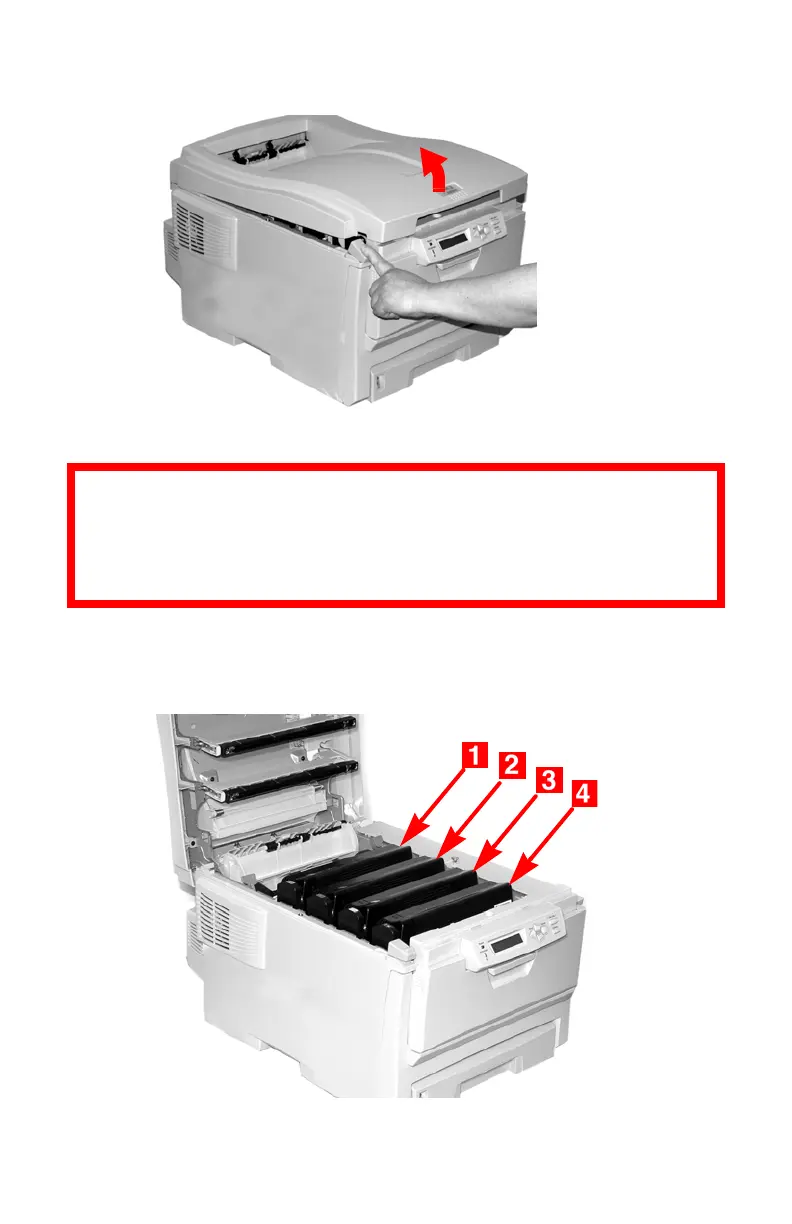
1. Press the cover release and open the top cover fully.
c53_02_opencvr.jpg
2. Note the positions of the four image drums: Cyan (1),
Magenta (2), Yellow (3), Black (4).
c53_09_lidup.jpg
WARNING!
If the printer has been powered on, the fuser is
HOT. This area is clearly labelled. Do not touch it.





 To Next Page