Consumables and maintenance > 34
C
LEANING
THE
LED
HEADS
You are advised to clean the LED heads:
> any time you replace a toner cartridge
> if printing is showing signs of faded images, white stripes or blurred letters
You can use a dry, soft cloth for cleaning the LED heads.
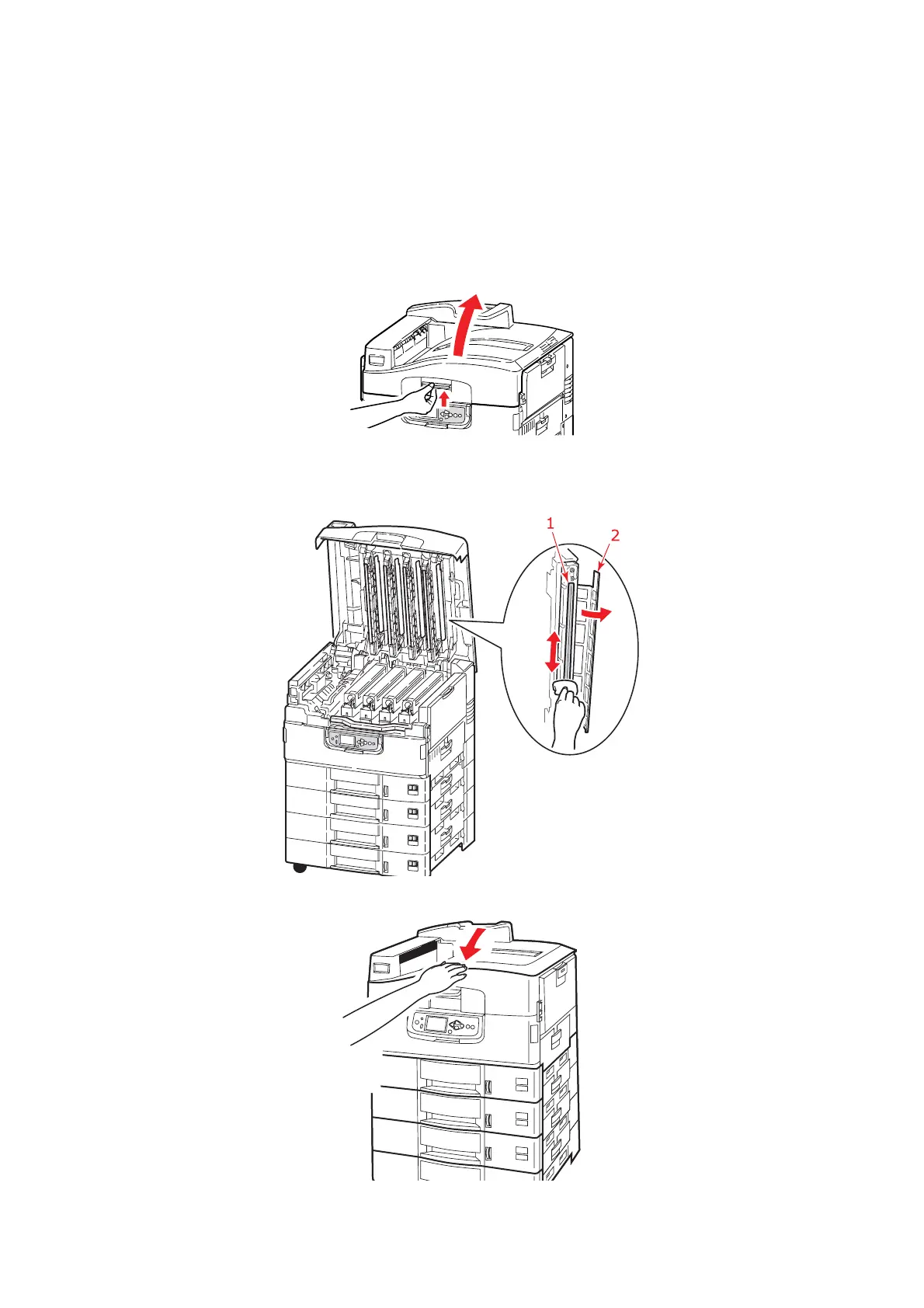
1. Open the top cover.
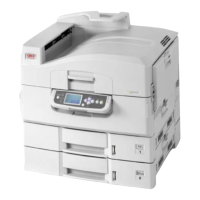
2. With a soft cloth, gently wipe each of the four heads (1). Move the cloth as shown,
using a clean section of the cloth with each pass. Be careful not to damage the
guards (2).
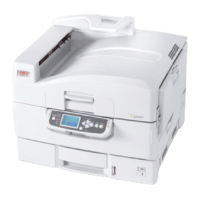
3. Close the top cover.



 To Next Page