Control panel > 23
C
ONTROL
PANEL
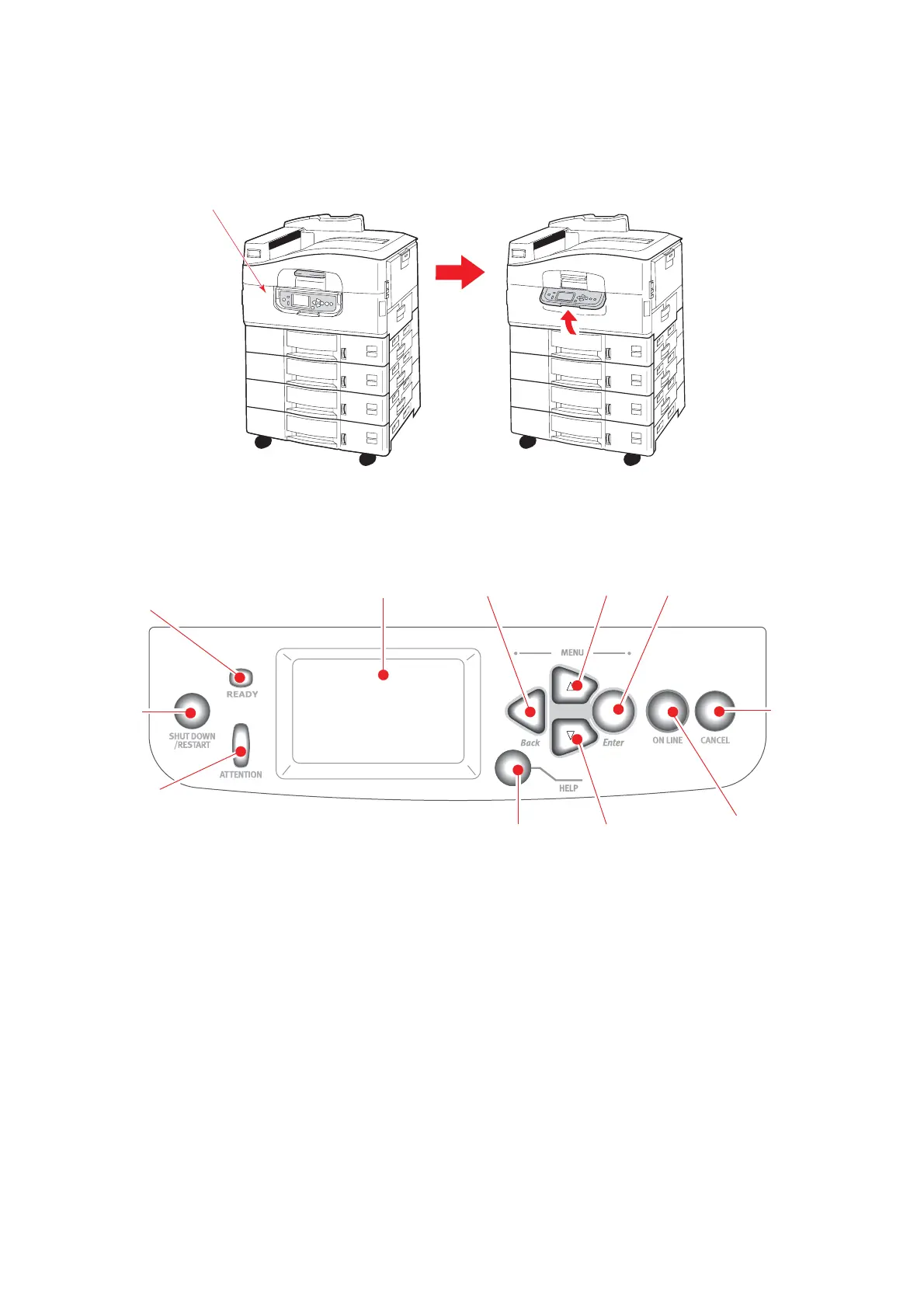
The control panel can be swivelled to 90° (maximum) upwards from its base position (1)
as required for ease of use.
C
ONTROLS
AND
INDICATORS
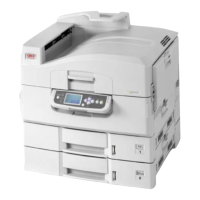
The parts of the control panel are identified and briefly explained below:
1. Shutdown/Restart button
Hold down for more than 2 seconds for a soft shutdown. You can then press this
button again for a restart or use the Power switch to turn off the printer completely.
2. Ready indicator
On: indicates ready to print
Flashing: indicates processing print data
Off: indicates unable to receive data (offline)
3. Attention indicator
Off: indicates normal operation
Flashing: indicates error(s) present but printing can continue
On: indicates error(s) present and printing cannot continue
1
1
2
3
4
5
6
78
9
10
11



 To Next Page