75
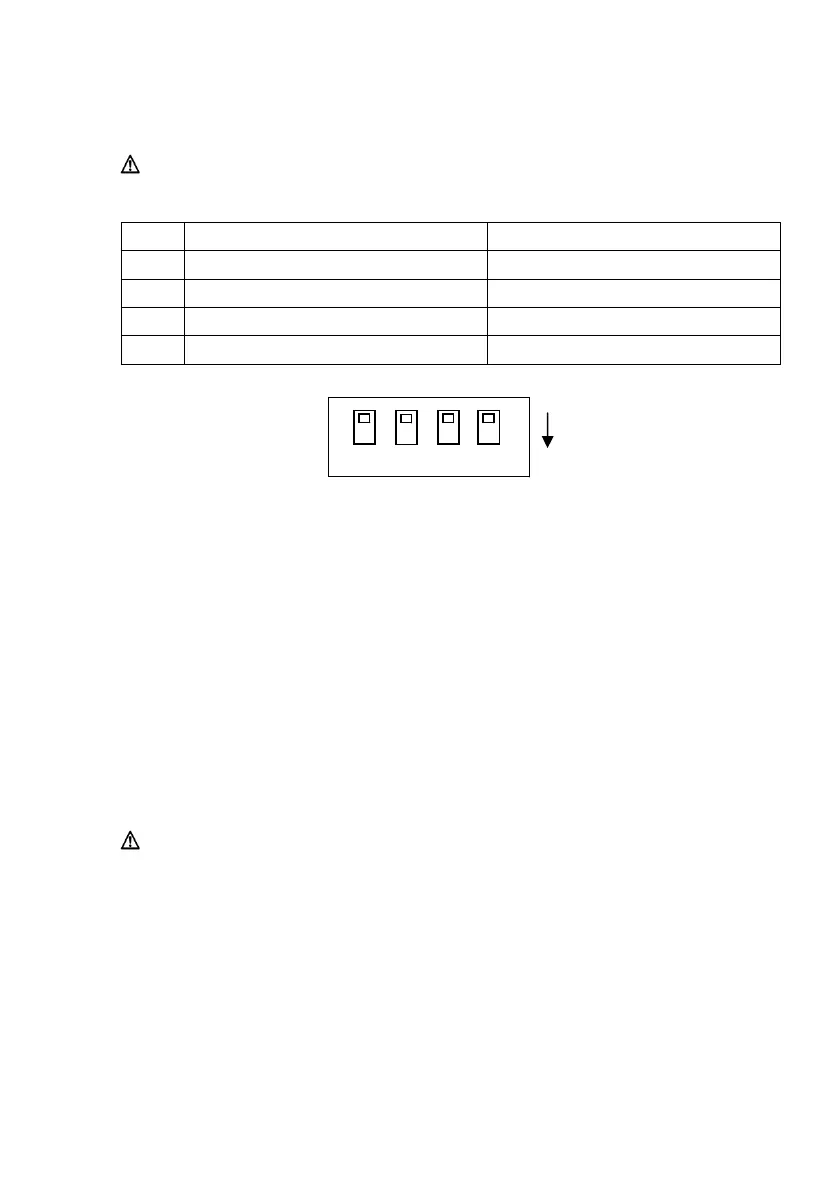
(3) DIP Switches
Caution: These switches are for maintenance. During normal usage,
leave them all in the OFF state.
No. ON OFF
1
- Off (Fixed)
2 Settings Information Initialization -
3 Settings Information -
4 Self-diagnosis Print -
1 2 3 4
ON
Pro
cedures
for Settings Initialization
1) Turn off the printer power.
2) Set No.2 DIP switch to ON.
3) Turn on the printer power. Initialization takes about five seconds.
4) Turn off the printer power.
5) Set No.2 DIP switch to OFF.
Procedures for Test Print from LAN Board
1) Turn off the printer power.
2) Set No.3 and No.4 DIP switches to ON.
3) As soon as the printer power is turned on, a test print is performed.
4) Turn off the printer power.
5) Set No.3 and No.4 DIP switches to OFF.
Caution: Be careful with DIP switch operations.



 To Next Page