53
Faulty electrical connections. Short-circuit or open the relay
contact (as applicable) on the
MX48 terminal block (Fig. 12)
and, if the slaving controls still
do not work, the connections
must be checked on the MX48
connector and on the slaving
systems.
An electronic detector is in the
“CALIBRATION” position
and the corresponding channel
of the MX48 unit remains in
normal operation: no flashing
yellow LED.
The channel is not
programmed to detect a
detector in “Calibration”
mode.
If it is so wished, the
programming of this channel
can be modified by using the
“Channel programming” menu
(self-calibration) and choose
"CAL detection : YES".
Impossible to upload data from
the MX48 to a computer.
Faulty electric connections. Check the connections on the
MX48 unit connector (Fig.8)
and the computer. Check that
the cable is satisfactory.
The cable does not match the
2-wire RS485 type of link.
Replace the cable with a
suitable one.
Remote acknowledgement is
impossible.
Faulty electric connections. Check the connections on the
MX48 unit connector (Fig. 8)
and on the punch-type button.
The punch-type button is
faulty.
Replace the punch-type button.
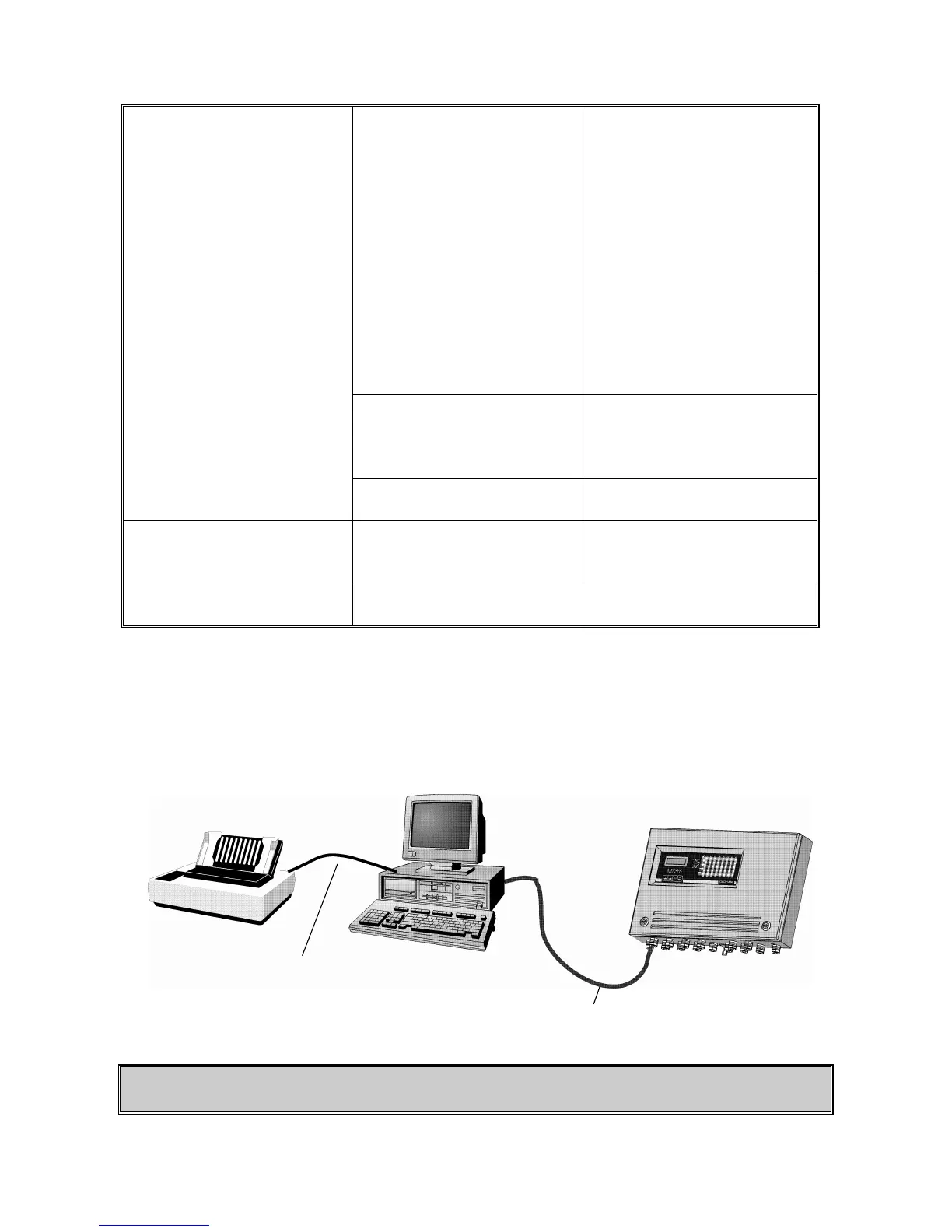
6.2.1. Data printing
EXAMPLE
CAUTION
A computer or a printer management interface must, imperatively, be used to print data.
Computer
MX48


 To Next Page