EasyManua.ls Logo

Oldham iTrans - User Manual

Oldham iTrans
88 pages
Print Icon
To Next Page IconTo Next Page
Loading...
FIXED POINT SINGLE OR DUAL GAS MONITOR WITH DUAL
ANALOG OUTPUTS
USER MANUAL
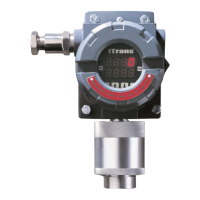
iTrans
FIXED POINT SINGLE OR DUAL
GAS MONITOR WITH DUAL
ANALOG OUTPUTS
Part Number: 77023554-1
Version: 16.0
Release Date: April 20, 2016
The Fixed Gas Detection Experts

Table of Contents

Questions and Answers

  • P
    Paul HesterAug 14, 2025
    What to do if the output does not change when gas concentration changes in Oldham Measuring Instruments?
    • N
      Nathaniel Williams MDAug 14, 2025
      If the output of your Oldham Measuring Instruments does not change when the gas concentration changes, it is likely that the electronics module has failed. Replace the electronics module to resolve this issue.
  • R
    Raymond Mitchell Jr.Aug 17, 2025
    How to fix Oldham Measuring Instruments when LED display does not light up?
    • E
      Erin JohnsonAug 17, 2025
      If the LED display of your Oldham Measuring Instruments doesn't light up, the issue could be due to: * Input voltage being too low: Verify the presence of the correct input voltage. * Failure of the electronics module: You should also check for the presence of the correct input voltage.
  • K
    Kathleen CervantesAug 20, 2025
    What to do if 'U' appears on the display of Oldham Measuring Instruments?
    • K
      Kevin MillerAug 21, 2025
      If the display of your Oldham Measuring Instruments shows 'U', this indicates that the 4-20 mA signal is in over range. To resolve this, ensure the sensor is working properly and the 4-20 mA signal is scaled correctly.
  • C
    Cynthia BrownAug 25, 2025
    What to do if 'P' appears on the display of Oldham Measuring Instruments?
    • O
      ogarnerAug 26, 2025
      If your Oldham Measuring Instruments shows 'P' on the display, it indicates an open loop on a 4-20 mA channel. To fix this, place a 100-Ohm load resistor from the mA output pin to ground.
  • K
    Kristin SullivanAug 28, 2025
    Why is the output outside 4-20 mA range in Oldham Measuring Instruments?
    • J
      Jeremy MillerAug 28, 2025
      If the output of your Oldham Measuring Instruments is outside the 4-20 mA range, it could be because: * The unit is in calibration mode: Exit calibration mode. * The electronics module has failed: Replace the electronics module.
  • S
    suzannebrownSep 1, 2025
    What to do if the Reed Switch does not work on Oldham Measuring Instruments?
    • L
      laura51Sep 1, 2025
      If the Reed Switch on your Oldham Measuring Instruments isn't working, it could be due to: * A failed electronics module: Replace the electronics module and calibrate. * A damaged Reed Switch: Replace the reed switch.
  • D
    David MillsSep 5, 2025
    Why does the reading drift on Oldham Measuring Instruments?
    • J
      johnsonangelaSep 5, 2025
      If the reading on your Oldham Measuring Instruments drifts by 10 counts over a short period in a stable temperature environment, it may be caused by: * A failed sensor: Replace the sensor and calibrate. * A failed electronics module: Replace the electronics module and calibrate.
  • S
    sandradavisSep 8, 2025
    Why does Oldham Measuring Instruments LED display wrong value in calibration?
    • R
      robertsjohnSep 8, 2025
      If, during calibration, the LED of your Oldham Measuring Instruments displays the wrong value, it could be due to: * A failed sensor: Replace the sensor and calibrate. * A failed electronics module: Replace the electronics module and calibrate.

Summary

iTrans Fixed Point Single or Dual Gas Monitor User Manual

Chapter 1: Introduction

Specifications

Technical specifications of the iTrans gas monitor, including dimensions, power, and output signals.

Agency Approvals

Details certifications and standards the iTrans™ gas monitor complies with, including CSA and UL.

Special Instructions for Safe Use (EU)

Specific safety instructions for using the iTrans™ in the EU, focusing on flameproof requirements.

Chapter 2: Hardware Overview

Chapter 3: Installation

Installation Considerations

Provides important factors to consider before installing the iTrans™ gas monitor, such as location and environmental conditions.

Chapter 4: System Wiring

Alarm, Power, and Sensor Wiring

Covers alarm relay, power/output, and sensor wiring for the iTrans™ unit.

Digital ModBus RTU Interface

Explains ModBus wiring, setting addresses on the unit, and setting addresses for stand-alone sensors.

Chapter 5: Operation

Normal Operating Mode

Details how the iTrans™ displays gas readings, alarm indications, and fault indicators in normal operation.

Non-intrusive Programming Functions

Covers sensor type, zeroing, calibration, span gas, and span reserve using a magnetic wand.

Push Button Programming Functions

Details programming functions via buttons, including channel selection, alarms, time setting, and zero/calibration.

Chapter 6: ModBus Interface

Chapter 7: Maintenance

Sensor Replacement

Details the procedure for replacing a sensor, emphasizing that it must be done by qualified personnel.

Chapter 8: Troubleshooting

Diagnosing Common Problems

Provides a table listing common symptoms, their potential problems, and solutions for the iTrans™ gas monitor.

Chapter 9: Warranty

Warranty

Outlines the warranty periods for iTrans™ fixed system products, sensors, and infrared sensors.

Appendix E: EU Declaration of Conformity Certificate

Oldham iTrans Specifications

General IconGeneral
BrandOldham
ModeliTrans
CategoryMeasuring Instruments
LanguageEnglish

Related product manuals