30
Adjusting On Screen Displays (OSD)
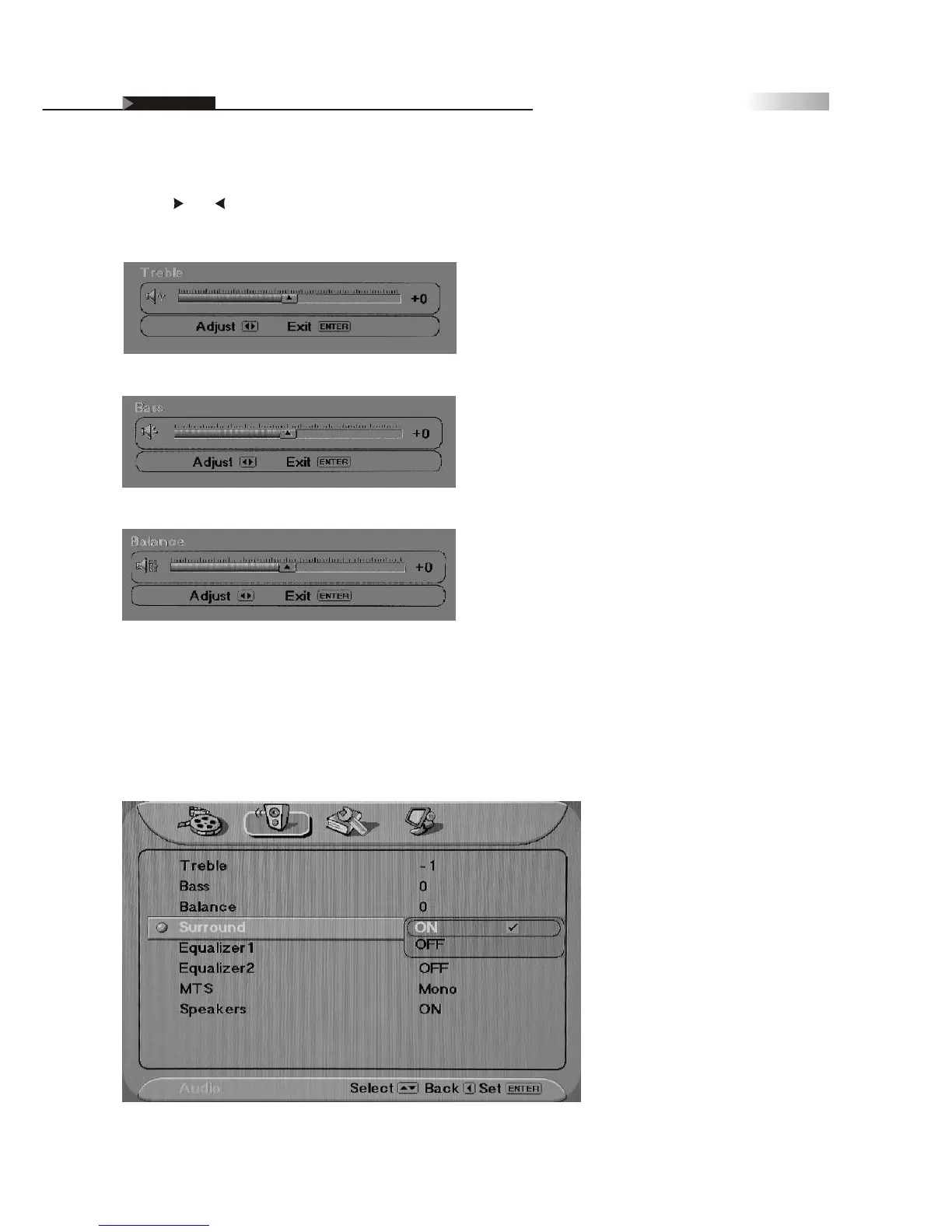
OSD-Audio
To Adjust Settings:
Use the and remote buttons to adjust each Audio sound quality, as
seen below:
Surround Sound is an available option for creating a panoramic stereo
audio image by producing deep and rich bass tones and clear treble
tones. This enables you to enjoy powerful sound effects like those in a
movie theater.
Speakers
Must turn off speakers of the TV when using a Receiver or Home
Theater System.
Treble
Bass
Balance


 To Next Page
 Loading...