36
Adjusting On Screen Displays (OSD)
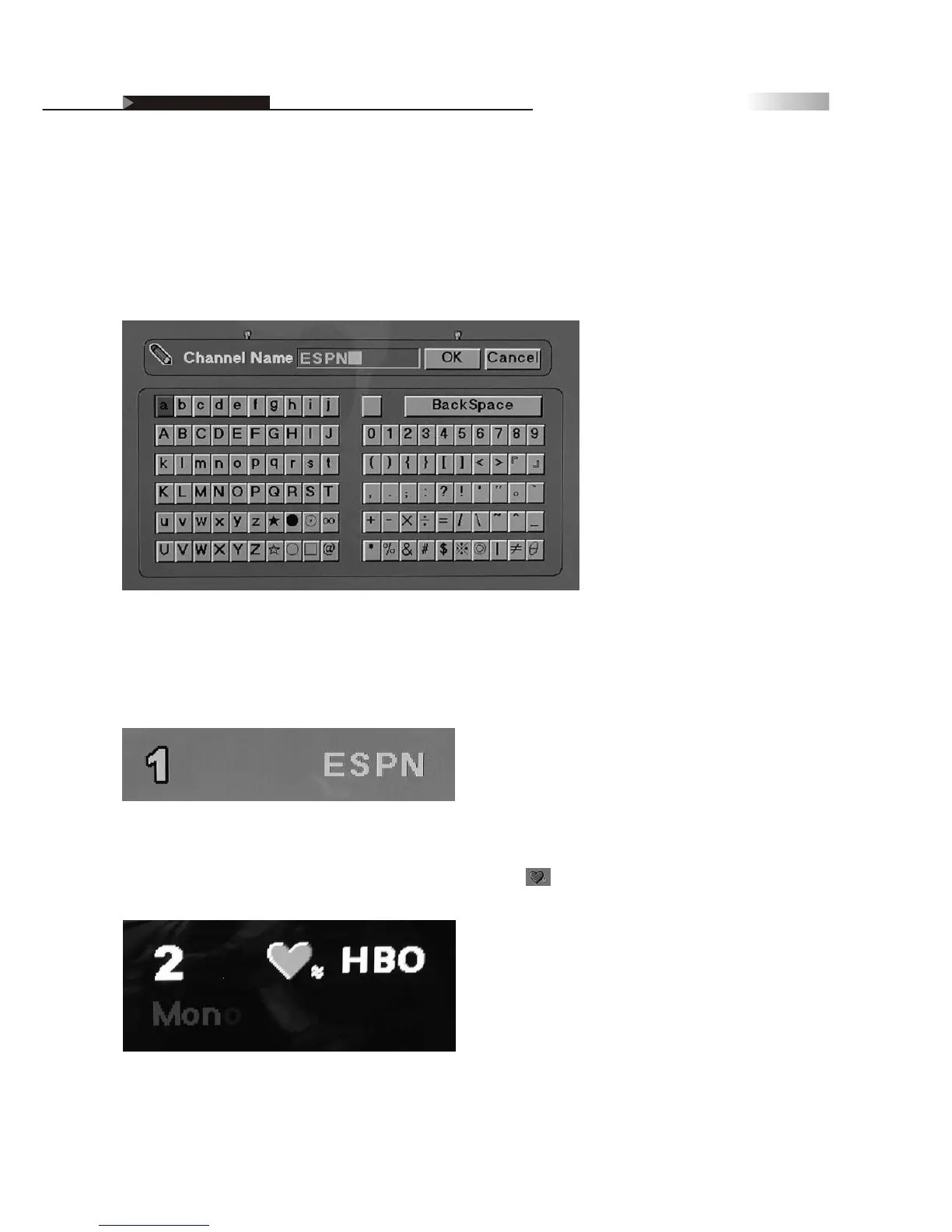
Personal Channel Preferences: Channel Naming
You can also create personal names for each channel, which will show
up in the upper Right hand corner of the TV screen.
To Name a Channel:
1. Enter Channel Name sub-page
2. Enter Channel name using alphabet-numerical keypad as seen below:
3. Press "Okay" to exit keypad when naming is complete.
Once you have named a channel, your preset channel name will show up
on the TV screen when flipping through channels, or by pressing the
Display Key.
If you named your favorite channel, you will see the heart icon
next to the channel name.
OSD-Miscellaneous


 To Next Page
 Loading...