KIT WIRELESS Bi2 - B1130
1
2a
4
2b
3b3a
1
2
3
4
EN - 9
ENGLISH
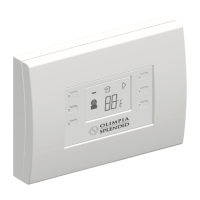
Itispossibletocongurethefollowingfunc-
tions:
1. Fan speed
2a. Desired temperature increase
2b. Desired temperature decrease
3a. Activation of manual mode
3b. Activation of programming
4. Operating mode
The data transmission from the device to the
App occurs at reduced speed with respect
to the data transmission from the App to the
device.
Furthermore, it is possible to display the fol-
lowing information:
1. Outdoor weather (in the place where it has
beenpairedforthersttime)
2. Indoor temperature
3. Set temperature
4. Usage statistics of the device



 To Next Page