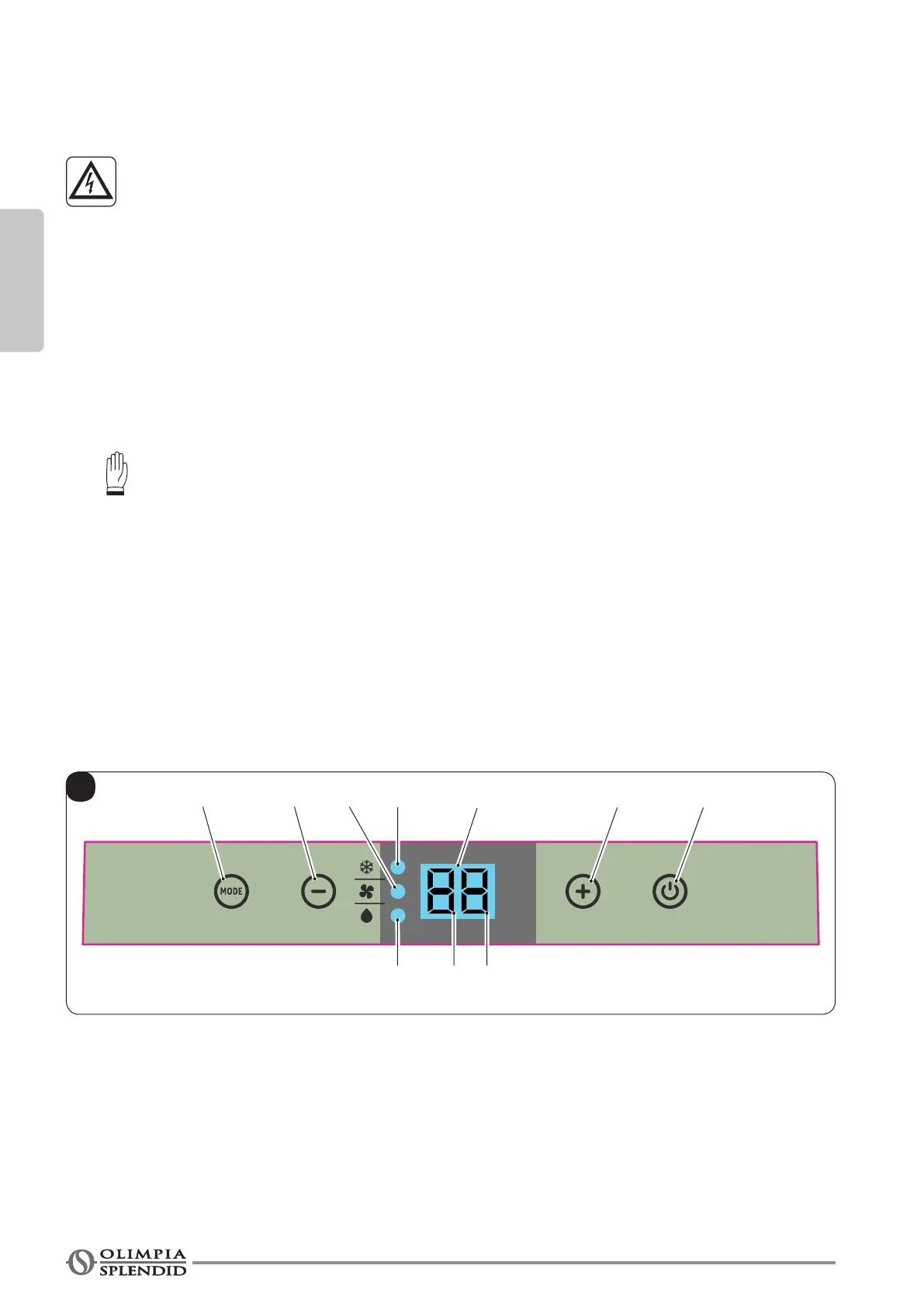
SW1SW3
S4
D1
SW2
B
SW4
S1
S2
S3
S5
ENGLISH
EN - 20
• The appliance’s power network must be equipped with a suitable
omnipolar disconnection device compliant with national installation
regulations.
• Theapplianceispoweredsolelythroughasocketcompatiblewiththeplugprovided.
CAUTION
AnyreplacementofthepowercablemustbecarriedoutsolelybyOlimpiaSplen-
didtechnicalsupportorbysimilarlyqualiedpersonnel.
2.6 - DRAINAGE
Depending on the modality of use of the appliance, it is necessary to connect the condensation discharge pipe.
2.6.a - Use as dehumidier
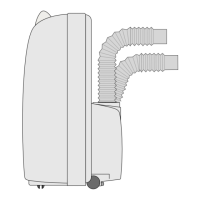
Forthecorrectuseoftheappliance,workasfollows(gures15and16):
a. Remove the cap (28).
b. Insert the supplied pipe (12) in the connector.
Make sure the end of the discharge pipe (12) is positioned on a drain well or in a container.
Make sure the pipe (12) is not clogged.
3 - USE OF THE APPLIANCE
The functioning modes if the air conditioner can be selected both through the remote control and through the
control panel located on board of the air conditioner.
Thereceptionoftheselectedfunctionisconrmedbytheemissionofa“beep”bythebuzzer.
3.1 - CONTROL PANEL SYMBOLS AND KEYS (Fig.B)
• SW1: Running / Stand-by;
• SW2: Working mode selection
cooling=˃
=˃automatic=˃
=˃fanonly=˃
=˃dehumidication=˃
=˃cooling=˃...
• SW3: Temperature/delay set increase;
• SW4: Temperature/delay set decrease;
• S1: Standby mode.
• D1: Tset/Timer
• S2: Timer mode;
• S3: Cooling mode;
• S4: Dehumidicationmode;
• S5: Ventilation mode.






 To Next Page