ENGLISH
EN - 24
3.4.b - Appliance switching on/o
a. The appliance can be switched ON or OFF for short periods by pressing B1 on the remote control or
SW1onthecontrolpanel(iftheapplianceisswitchedoforalongperiodthenitshouldbedeactivated
by removing the plug from the mains supply.
b.ThecorrespondingLEDL2lightsuptoindicatethattheapplianceisswitchedo.
c. In this condition, press B1 again on the remote control (or SW1 on the control panel) to restore all the
formerly selected functions.
When the appliance is OFF all the working timers are ‘reset’.
3.5 - VENTILATION MODE (FAN)
a. Whenthisoperatingmodeisusedtheappliancehasnoeectonthetemperatureorhumidityoftheen-
vironment, it merely circulates the air.
b. This mode can be selected by pressing B2 or SW2 until the fan only symbol ( ) is activated on the remote
control and on the control panel display.
c. In this operating mode the internal fan is always on and the required fan speed can be selected at any
time by pressing key B6 (only from the remote control) (symbol 6 on the remote control).
3.6 - COOLING MODE (COOL)
a. Inthismodetheappliancecoolsanddehumidiestheenvironment.
This mode can be selected by pressing B2 or SW2 until the cooling only symbol
( ) is activated on the remote control and on the control panel display.
b. The internal fan is always on at automatic speed or (only from the remote control) at the selected speed.
c. The temperature set-point (Tset) can be adjusted from 17°C to 30°C (from 61 F to 86 F if present) in
1°C steps by means of B4/B5 or SW3/SW4, and its value is shown both on remote and local interfaces.
d. Three minutes (maximum) after the activation of this operating mode the compressor starts and the ap-
pliance starts to distribute cold air.
3.7 - DEHUMIDIFICATION MODE (DRY)
a. ThismodecanbeselectedbypressingB2orSW2untilthedehumidicationonlysymbol( ) is activated
on the remote control and on the control panel display.
b. This mode is similar to cooling mode, except that:
fan speed selection not active (Set temperature) set equal to “Tamb” (ambient temperature).
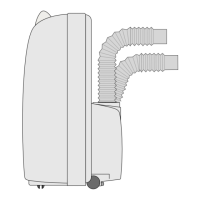
c. Indehumidicationmodeonly,theappliancecanoperatewithonlythecondensatedrainpipeconnected
(12)andwithouttheexibleairexpulsionhose.






 To Next Page