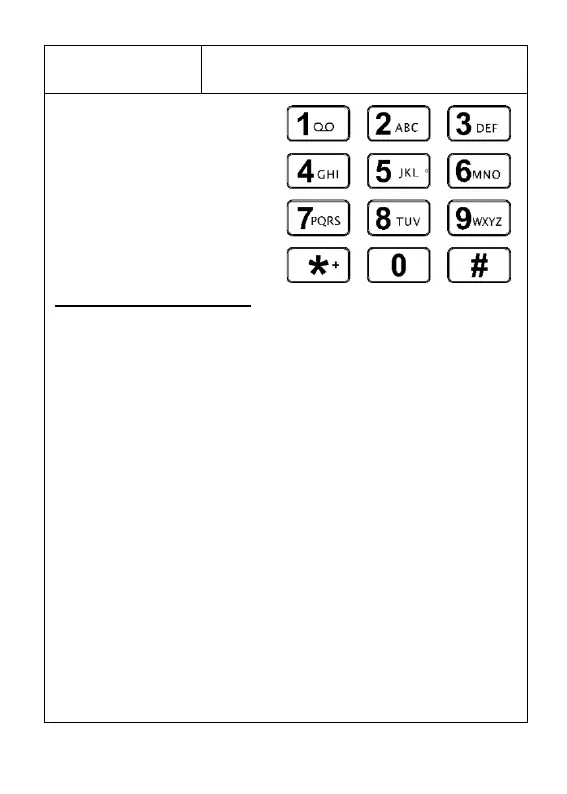
7. Number keys
Star (*) key
Hash (#) key
Use these keys to enter
numbers and characters.
Additional information:
When on the main/home screen, if number 1 is pressed
and held for 3 seconds, a call to voicemail initiates. If
speed dial is programmed, and the associated number
key (2-9) is pressed and held for 3 seconds, a call to the
programmed phone number initiates. See page 28 for
greater detail.
If * (star) is pressed when entering text, symbols appear
on screen. When dialling a phone number, if * is pressed
twice in quick succession (**) a + sign appears (used for
international calls).
If # is pressed when writing a message/programming a
phone number, input options open (eg: Abc, abc, ABC).
See page 31 for more information.
If # is pressed and held for 3 seconds it will
activate/deactivate silent mode.



 To Next Page