Thickness Scale
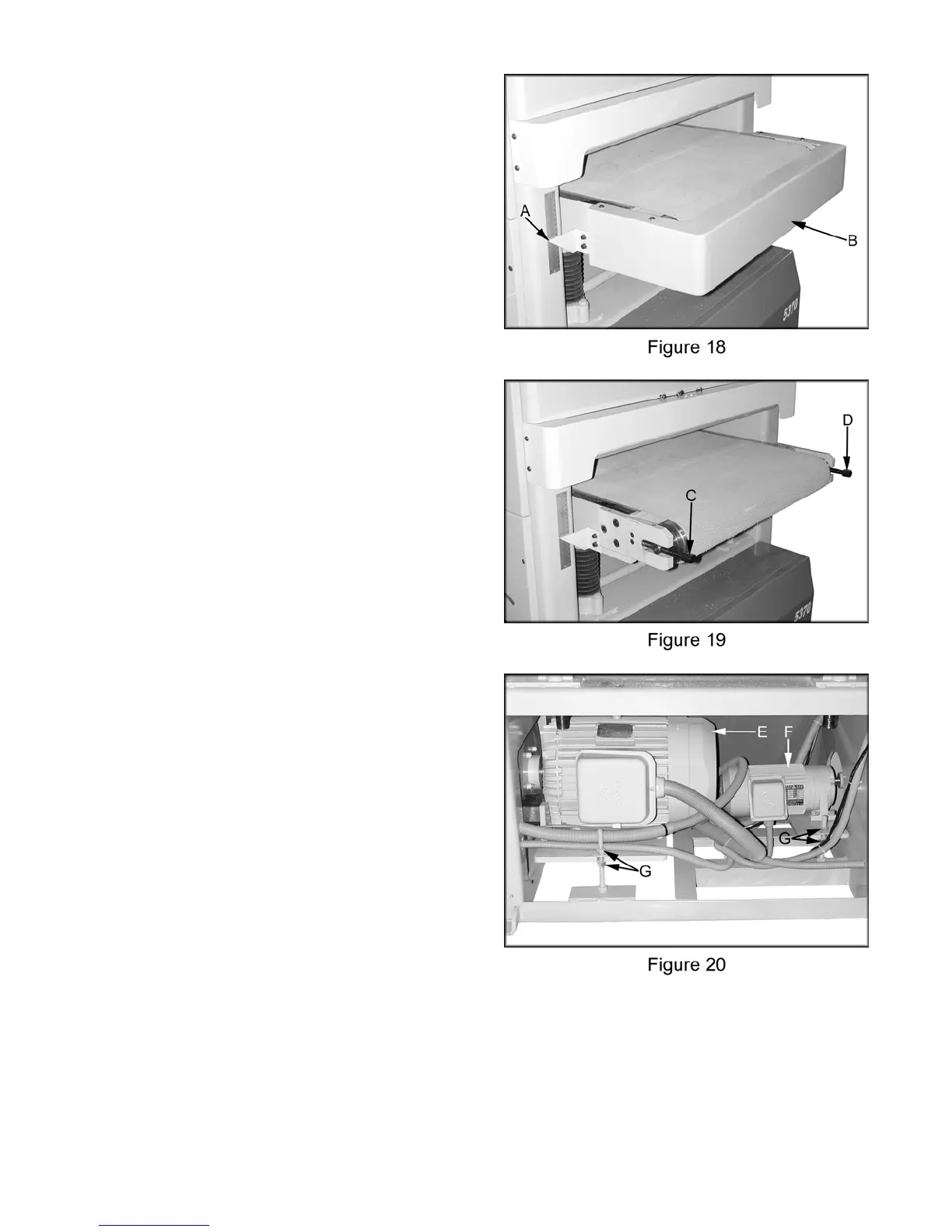
After setting the present value using the
calibration board adjust the pointer (A, Figure
18) so that it matches the present value.
Conveyor Tracking
1. Remove the guard (B, Figure 18).
2. Turn on the conveyor and adjust to the
highest speed.
3. If conveyor drifts to the left rotate tracking
bolt (C, Figure 19) clockwise a 1/2 turn. The
adjustments are not noticeable right away
due to the slow speed the conveyor travels.
4. If conveyor drifts to the right rotate tracking
bolt (D, Figure 19) clockwise a 1/2 turn. The
adjustments are not noticeable right away
due to the slow speed the conveyor travels.
5. Replace the guard after adjustments are
complete and the conveyor is tracking
properly.
Adjusting V-Belt Tension
1. Disconnect the sander from the power
source.
2. Gain access to main motor (E, Figure 20)
and the table raising motor (F, Figure 20).
3. Loosen bottom nuts (G, Figure 20) and
lower motors to increase belt tension.
Tighten the upper nuts.
4. Loosen upper nuts (G, Figure 20) and
tighten lower nuts to raise the motors to
decrease belt tension.
Replacing V-Belts
1. Disconnect the sander from the power
source.
2. Gain access to main motor (E, Figure 20)
and the table raising motor (F, Figure 20).
3. Loosen upper nuts (G, Figure 20) and
tighten lower nuts to raise the motors to
decrease belt tension.
4. Gain access to three main v-belts, or table
raising/lowering belt and replace as needed.
14



 To Next Page