

EasyManua.ls Logo

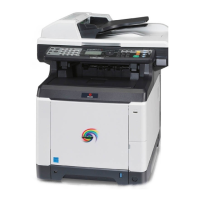
Olivetti d-Color MF2613En - User Manual

Olivetti d-Color MF2613En
375 pages
Print Icon
To Next Page IconTo Next Page
Loading...
SERVICE MANUAL
Multifuction Digital Copier
d-Color MF2613En / d-Color MF2614En
Code: Y116650-5

Table of Contents

Question and Answer IconNeed help?

Do you have a question about the Olivetti d-Color MF2613En and is the answer not in the manual?

Summary

SERVICE MANUAL

Multifuction Digital Copier

General title for the digital copier series.

d-Color MF2613 En; d-Color MF2614 En

Specific models covered by the service manual.

Safety warnings and precautions

Symbols

Explanation of safety symbols used throughout the manual.

1. Installation Precautions

Installation Warnings

General warnings related to machine installation and operation.

Installation Cautions

Cautions to be observed during machine installation.

1-1 Specifications

1-1-1 Specifications

Detailed technical specifications for the machine models.

1-1-2 Parts names

Identification and labeling of machine components.

1-1-3 Machine cross section

Diagram illustrating the internal mechanical layout.

1-2 Installation

1-2-1 Installation environment

Requirements for the machine's installation location and environment.

1-2-2 Unpacking

Procedure for safely unpacking the machine and its components.

1-2-3 Installing the expansion memory (option)

Instructions for installing optional expansion memory.

1-3 Maintenance Mode

1-3-1 Maintenance mode

Procedure for accessing and executing maintenance functions.

1-3-2 Service mode

Information on accessing and using the service mode.

1-4 Troubleshooting

1-4-1 Paper misfeed detection

Procedures for detecting and resolving paper misfeeds.

1-4-2 Self-diagnostic function

Explanation of the machine's self-diagnostic capabilities and error codes.

1-4-3 Image formation problems

Guidance for diagnosing and fixing image quality issues.

1-4-4 Electric problems

Troubleshooting steps for electrical issues.

1-4-5 Mechanical problems

Troubleshooting steps for mechanical malfunctions.

1-4-6 Send error code

Error codes related to scanning and sending functions.

1-4-7 Error codes

General classification and descriptions of error codes.

1-5 Assembly and disassembly

1-5-1 Precautions for assembly and disassembly

Important safety precautions before disassembling the machine.

1-5-2 Outer covers

Procedures for removing and reinstalling external covers.

1-5-3 Paper feed section

Disassembly and reassembly of paper feeding components.

1-5-4 Developing section

Procedures for handling the developing unit.

1-5-5 Drum section

Instructions for removing and reinstalling drum units.

1-5-6 Transfer;Separation section

Procedures for the transfer and separation units.

1-5-7 Fuser section

Steps for detaching and refitting the fuser unit.

1-5-8 PWBs

Procedures for replacing various Printed Wiring Boards (PWBs).

1-5-9 Drive section

Disassembly and reassembly of drive system components.

1-5-10 Optical section

Procedures for detaching and refitting optical components.

1-5-11 Document processor

Steps for removing and reinstalling the document processor.

1-5-12 Others

Procedures for detaching and refitting other machine parts.

1-6 Requirements on PWB Replacement

1-6-1 Upgrading the firmware

Instructions for upgrading the machine's firmware.

1-6-2 Remarks on engine PWB replacement

Important notes for replacing the engine PWB.

2-1 Mechanical Construction

2-1-1 Paper feed;conveying section

Description of the paper feeding and conveying mechanisms.

2-1-2 Drum section

Details of the drum unit, charger roller, and cleaning unit.

2-1-3 Developing section

Components and function of the developing unit.

2-1-4 Optical section

Components of the image and laser scanner sections.

2-1-5 Transfer;Separation section

Description of the intermediate and secondary transfer units.

2-1-6 Fuser section

Details of the fuser unit, including heat roller and press roller.

2-1-7 Eject;Feedshift section

Components of the paper eject and feedshift paths.

2-1-8 Duplex conveying section

Mechanism for paper conveying during duplex printing.

2-1-9 Document processor

Components of the original feed, conveying, and switchback sections.

2-2 Electrical Parts Layout

2-2-1 Electrical parts layout

Overview of the machine's main PWBs and their functions.

2-2-2 Switches and sensors

Identification and function of switches and sensors.

2-2-3 Motors

List and functions of the motors used in the machine.

2-2-4 Others

Description of other electrical components like clutches and lamps.

2-2-5 Document processor

Electrical components specific to the document processor.

2-3 Operation of the PWBs

2-3-1 Power source PWB

Operation and connector details of the power source PWB.

2-3-2 Engine PWB

Operation and connector details of the engine PWB.

2-3-3 Main PWB

Operation and connector details of the main PWB.

2-3-4 Drum relay PWB

Operation and connector details of the drum relay PWB.

2-3-5 DP drive PWB

Operation and connector details of the DP drive PWB.

2-4 Appendixes

2-4-1 Appendixes

Supplementary information and reference materials.

2-4-2 Repetitive defects gauge

Reference for identifying repetitive defects based on intervals.

2-4-3 Firmware environment commands

Using FRPO commands for firmware reprogramming.

2-4-4 Maintenance Commands

Information on using maintenance commands for adjustments.

2-4-5 Wiring diagram

Schematic diagrams illustrating electrical connections.
Summary

SERVICE MANUAL

Multifuction Digital Copier

General title for the digital copier series.

d-Color MF2613 En; d-Color MF2614 En

Specific models covered by the service manual.

Safety warnings and precautions

Symbols

Explanation of safety symbols used throughout the manual.

1. Installation Precautions

Installation Warnings

General warnings related to machine installation and operation.

Installation Cautions

Cautions to be observed during machine installation.

1-1 Specifications

1-1-1 Specifications

Detailed technical specifications for the machine models.

1-1-2 Parts names

Identification and labeling of machine components.

1-1-3 Machine cross section

Diagram illustrating the internal mechanical layout.

1-2 Installation

1-2-1 Installation environment

Requirements for the machine's installation location and environment.

1-2-2 Unpacking

Procedure for safely unpacking the machine and its components.

1-2-3 Installing the expansion memory (option)

Instructions for installing optional expansion memory.

1-3 Maintenance Mode

1-3-1 Maintenance mode

Procedure for accessing and executing maintenance functions.

1-3-2 Service mode

Information on accessing and using the service mode.

1-4 Troubleshooting

1-4-1 Paper misfeed detection

Procedures for detecting and resolving paper misfeeds.

1-4-2 Self-diagnostic function

Explanation of the machine's self-diagnostic capabilities and error codes.

1-4-3 Image formation problems

Guidance for diagnosing and fixing image quality issues.

1-4-4 Electric problems

Troubleshooting steps for electrical issues.

1-4-5 Mechanical problems

Troubleshooting steps for mechanical malfunctions.

1-4-6 Send error code

Error codes related to scanning and sending functions.

1-4-7 Error codes

General classification and descriptions of error codes.

1-5 Assembly and disassembly

1-5-1 Precautions for assembly and disassembly

Important safety precautions before disassembling the machine.

1-5-2 Outer covers

Procedures for removing and reinstalling external covers.

1-5-3 Paper feed section

Disassembly and reassembly of paper feeding components.

1-5-4 Developing section

Procedures for handling the developing unit.

1-5-5 Drum section

Instructions for removing and reinstalling drum units.

1-5-6 Transfer;Separation section

Procedures for the transfer and separation units.

1-5-7 Fuser section

Steps for detaching and refitting the fuser unit.

1-5-8 PWBs

Procedures for replacing various Printed Wiring Boards (PWBs).

1-5-9 Drive section

Disassembly and reassembly of drive system components.

1-5-10 Optical section

Procedures for detaching and refitting optical components.

1-5-11 Document processor

Steps for removing and reinstalling the document processor.

1-5-12 Others

Procedures for detaching and refitting other machine parts.

1-6 Requirements on PWB Replacement

1-6-1 Upgrading the firmware

Instructions for upgrading the machine's firmware.

1-6-2 Remarks on engine PWB replacement

Important notes for replacing the engine PWB.

2-1 Mechanical Construction

2-1-1 Paper feed;conveying section

Description of the paper feeding and conveying mechanisms.

2-1-2 Drum section

Details of the drum unit, charger roller, and cleaning unit.

2-1-3 Developing section

Components and function of the developing unit.

2-1-4 Optical section

Components of the image and laser scanner sections.

2-1-5 Transfer;Separation section

Description of the intermediate and secondary transfer units.

2-1-6 Fuser section

Details of the fuser unit, including heat roller and press roller.

2-1-7 Eject;Feedshift section

Components of the paper eject and feedshift paths.

2-1-8 Duplex conveying section

Mechanism for paper conveying during duplex printing.

2-1-9 Document processor

Components of the original feed, conveying, and switchback sections.

2-2 Electrical Parts Layout

2-2-1 Electrical parts layout

Overview of the machine's main PWBs and their functions.

2-2-2 Switches and sensors

Identification and function of switches and sensors.

2-2-3 Motors

List and functions of the motors used in the machine.

2-2-4 Others

Description of other electrical components like clutches and lamps.

2-2-5 Document processor

Electrical components specific to the document processor.

2-3 Operation of the PWBs

2-3-1 Power source PWB

Operation and connector details of the power source PWB.

2-3-2 Engine PWB

Operation and connector details of the engine PWB.

2-3-3 Main PWB

Operation and connector details of the main PWB.

2-3-4 Drum relay PWB

Operation and connector details of the drum relay PWB.

2-3-5 DP drive PWB

Operation and connector details of the DP drive PWB.

2-4 Appendixes

2-4-1 Appendixes

Supplementary information and reference materials.

2-4-2 Repetitive defects gauge

Reference for identifying repetitive defects based on intervals.

2-4-3 Firmware environment commands

Using FRPO commands for firmware reprogramming.

2-4-4 Maintenance Commands

Information on using maintenance commands for adjustments.

2-4-5 Wiring diagram

Schematic diagrams illustrating electrical connections.

Olivetti d-Color MF2613En Specifications

General IconGeneral
BrandOlivetti
Modeld-Color MF2613En
CategoryMfp
LanguageEnglish