OPERATION GUIDE i
Making Full Use of This Machine’s Advanced Functions
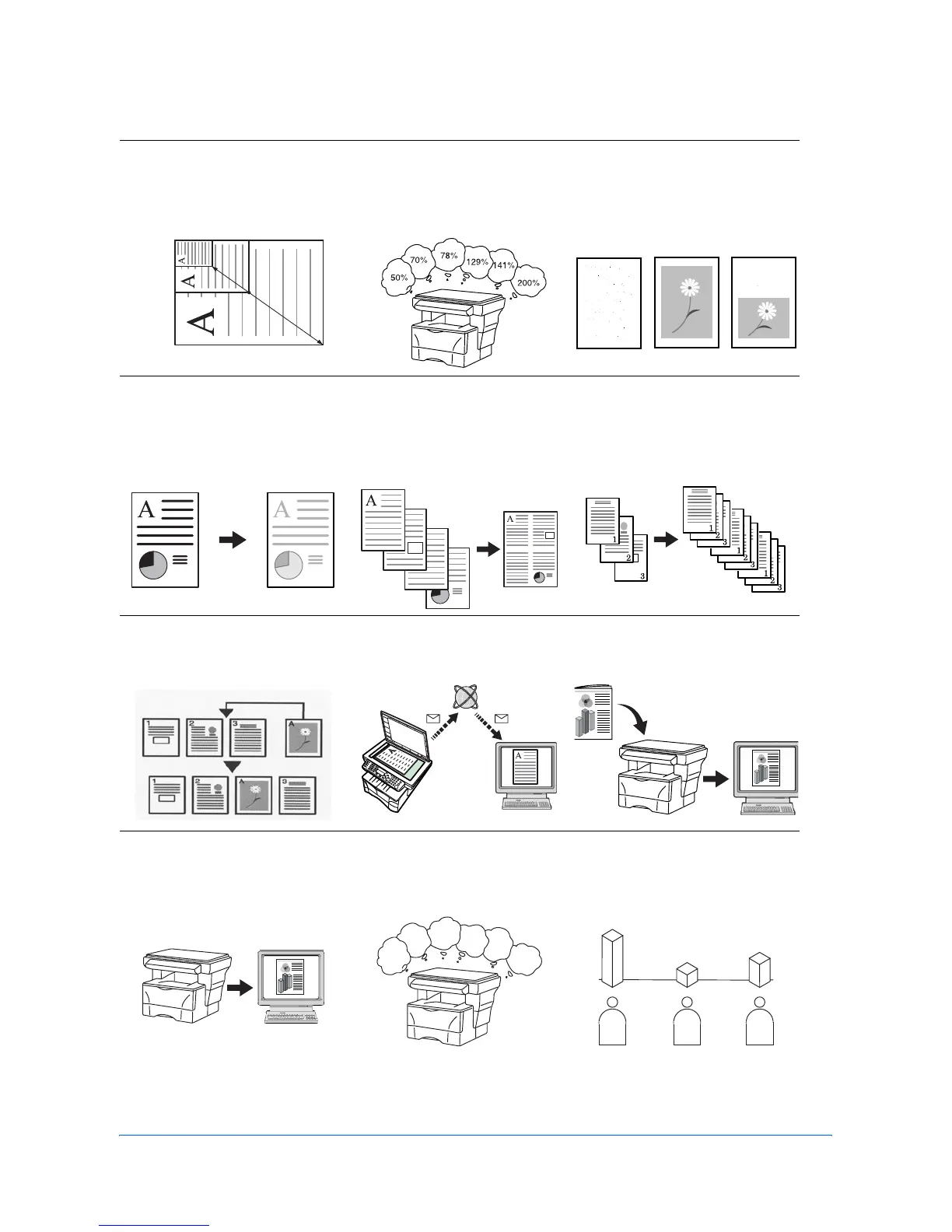
1 Enlarging/reducing copies to
a desired size between 50 %
and 200 % Zoom mode
(Refer to page 4-4)
2 Copying at a previously
registered zoom ratio
Standard Zoom mode
(Refer to page 4-4)
3 Making clear reproductions
of photographs Image
quality selection (Refer to
page 4-1)
4 Saving on toner use
EcoPrint mode (Refer to the
Advanced Operation Guide.)
5 Making one copy from either
two or four originals
Combine modes (Refer to
the Advanced Operation
Guide.)
6 Collating automatically
Collate mode (Refer to page
4-6)
7 Interrupting the current job
using Print Override mode
(Refer to page 4-7)
8 Sending scanned data by e-
mail (Refer to page 4-9)
9 Making full-color scans
(Refer to page 4-13)
10 Loading an image from
TWAIN (Refer to page 4-13)
11 Storing address information
Address Book (Refer to the
Advanced Operation Guide)
12 Managing the number of
scans and prints by Job
Account (Refer to the
Advanced Operation Guide)
50 %
200 %
6
5
4
3
2
1
AABC












 To Next Page