Troubleshooting
6-10 OPERATION GUIDE
3
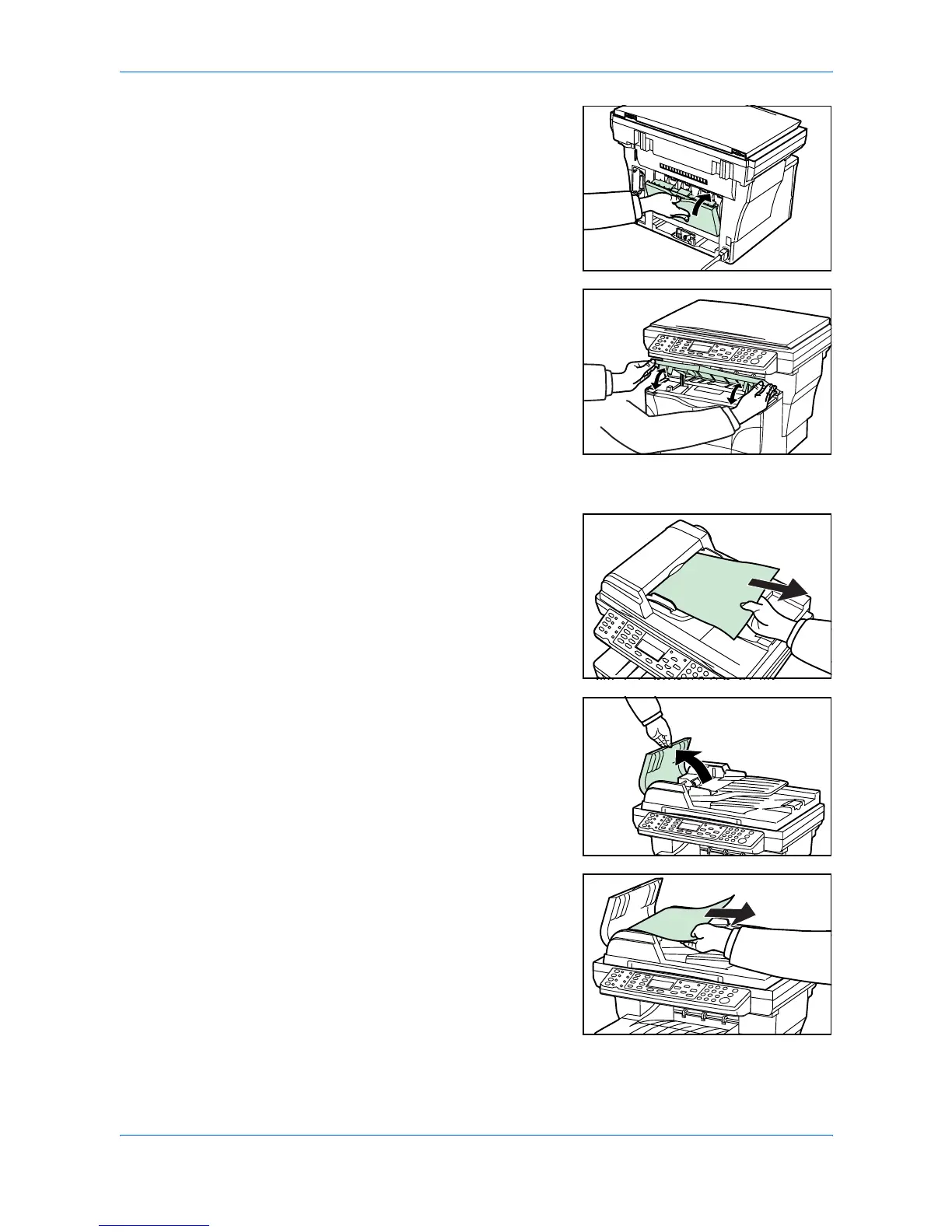
Close the rear cover.
4
Open and then close the top cover. The jam
indications will disappear.
Optional Document Processor
1
Remove all of the originals from the
document feed tray.
2
Open the left cover of the document
processor.
3
Remove the jammed original.
If the original is caught in the rollers or
difficult to remove, proceed to the next step.












 To Next Page