Troubleshooting
OPERATION GUIDE 6-9
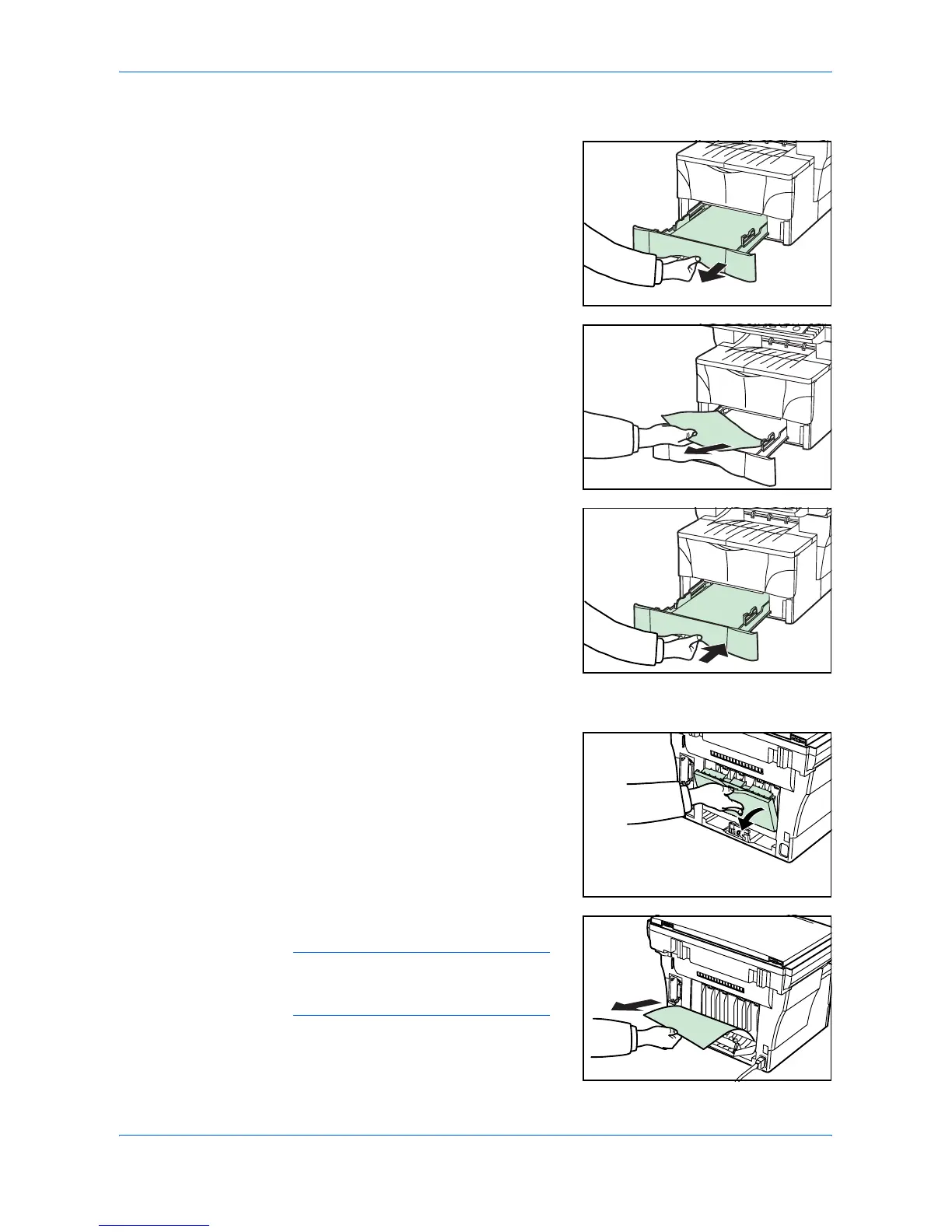
Cassette
1
Pull out the cassette that is in use.
2
Remove the jammed paper.
If a paper jam occurs in the optional paper
feeder, the procedure is the same as for the
cassette.
3
Push the cassette back in securely. The
misfeed indications will disappear.
Face-up Tray
1
Open the rear cover.
2
Remove the jammed paper.
CAUTION: The fixing unit is extremely
hot. Take care when working in this
area.












 To Next Page