4-4 Maintenance
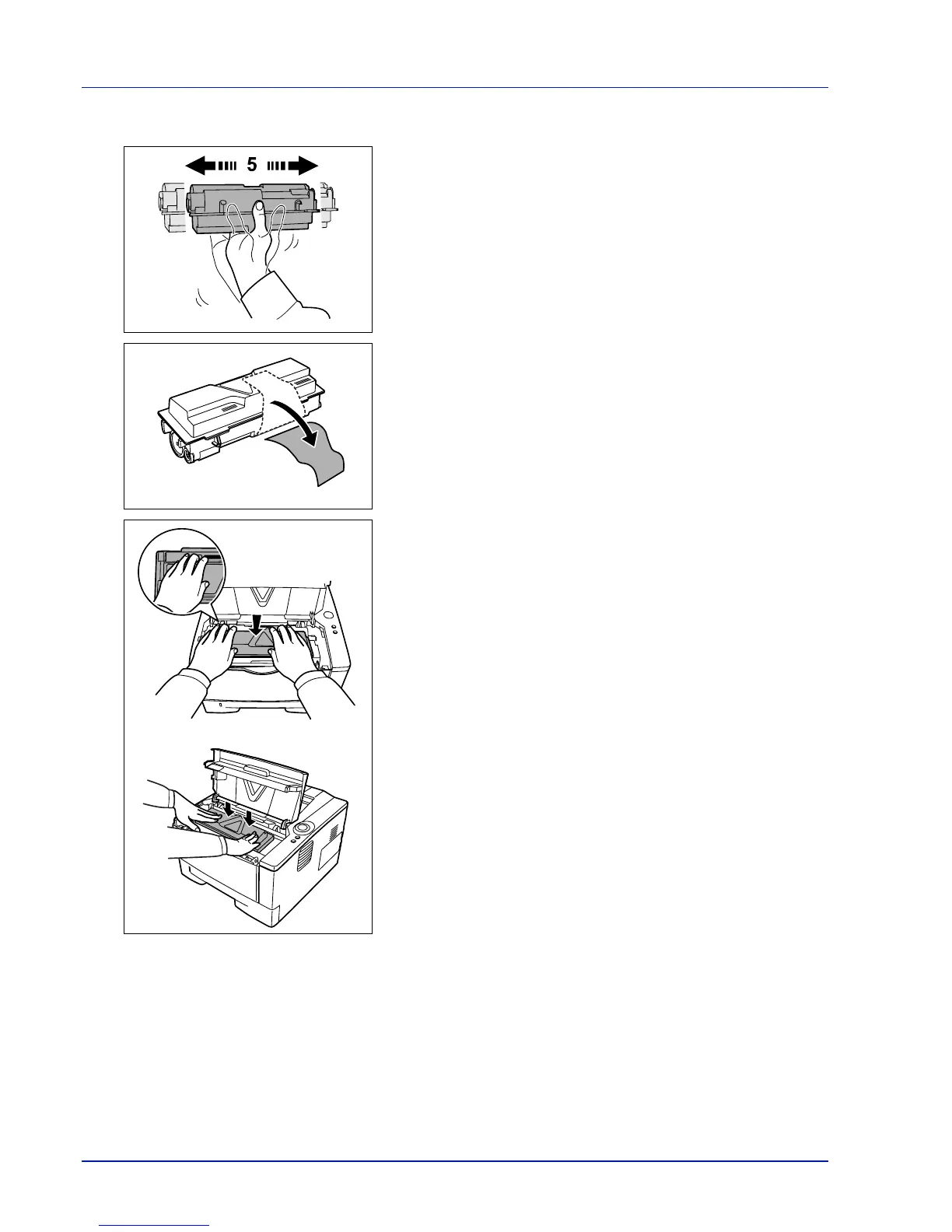
3 Take the new toner container out of the toner kit. Shake the new
toner container at least 5 times as shown in the figure in order to
distribute the toner evenly inside the container.
4 Remove the label from the toner container.
5 Install the new toner container in the printer. Push firmly on the top of
the container at the positions marked PUSH, until you hear a click.













 To Next Page