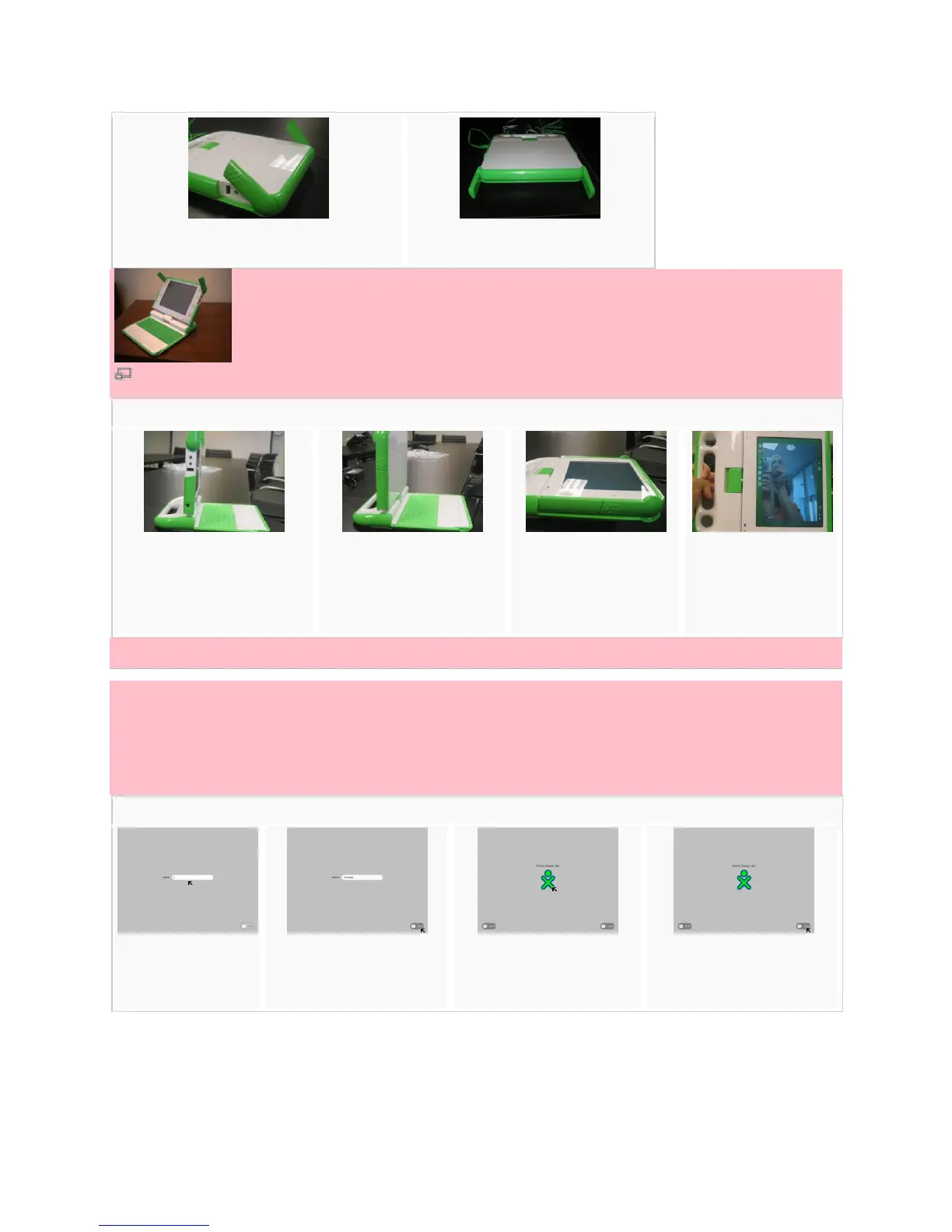
1. For handheld mode, lift the "bunny ears."
2. Listen for the laptop clicking open.
How to switch screen positions.
1. Bring the display up to a
90-degree angle and put the
antennae down.
2. Rotate the display 180
degrees until it is facing
backwards.
3. Lay the display down
onto the keyboard.
4. Enjoy the XO in this
mode!
Starting and shutting down the XO
Starting
When you press the power button for the first time, the XO starts up after about two minutes, and then
asks your name. The next time you start it, it will remember your name and go directly to the Home
screen.
2. Once you enter your
name, click Done.
3. Choose your colors by
clicking repeatedly.
4. Once you've chosen your
colors, click Done.


 To Next Page