BX-RLAA
8
6. Open the field iris so that its image is almost the same size as (i.e. sub-
scribes) the field of view.
Using the Field Iris Diaphragm
{In reflected light brightfield observation
The field iris diaphragm adjusts the illuminated area to obtain an image
with high contrast.
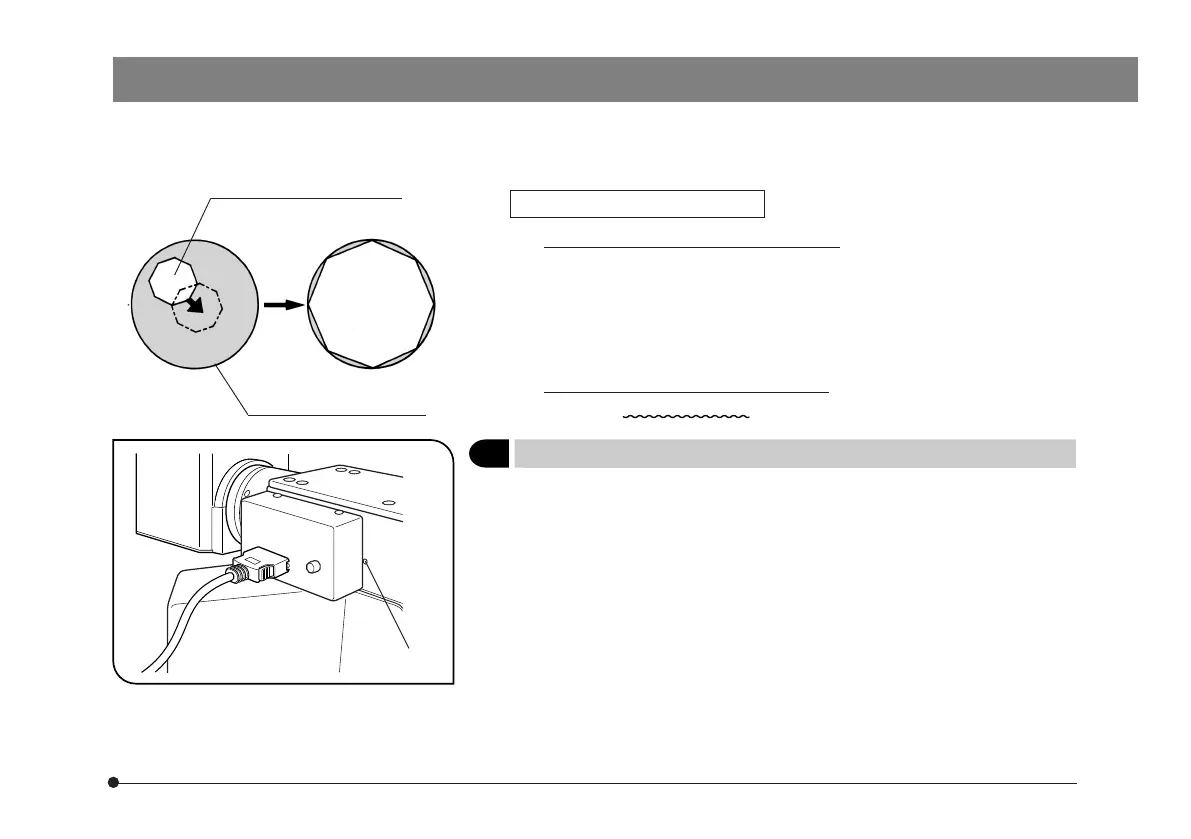
According to the objective in use, adjust the FS knob ³ of the reflected
light illuminator until the iris image circumscribes the field of view to block
unnecessary light.
{In reflected light darkfield observation
The field iris must be opened by pushing in the FS knob ³.
Field iris diaphragm image
3
Centering the Aperture Iris Diaphragm (AS)
(Figs. 3 & 4)
}Before AS centering, unlock it by loosening the lock screw 6 on the left
side panel of the reflected light illuminator using the 3 mm Allen wrench.
After completing AS centering, be sure to lock the screw again.
1. Press the BF button (@ in Fig. 1) on the hand switch to select the reflected
light brightfield path.
2. Engage the 10X objective and bring the specimen in approximate focus.
}To improve the visibility of the aperture iris image, it is recommended to
use a specimen with high reflectivity such as a mirror.
Fig. 3
Field of view of eyepiece
6



 To Next Page