En 5
En
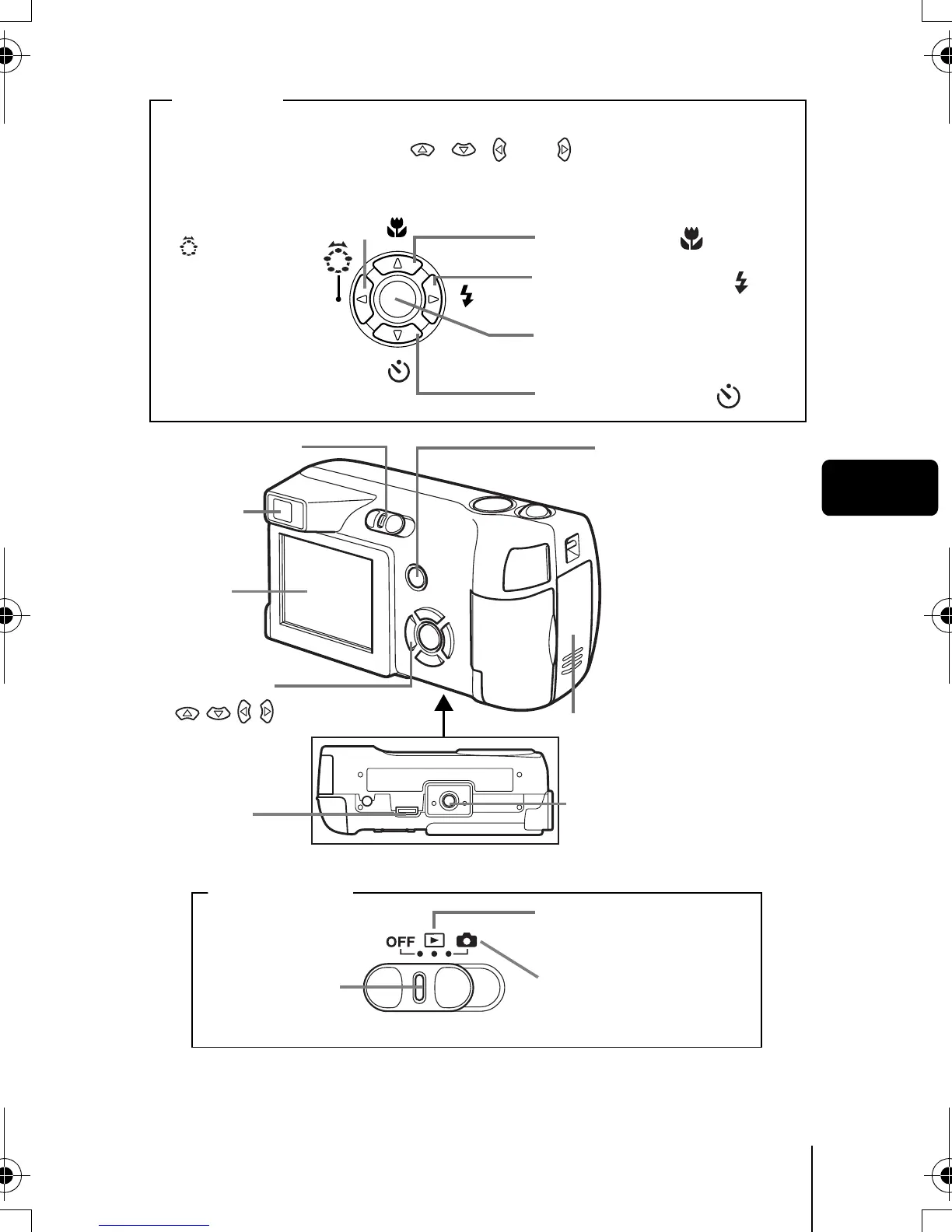
Play back mode
Shooting mode
Lock button
QUICK VIEW button
Self-timer button (
)
Monitor
Macro button ( )
Viewfinder
Tripod socket
Flash mode button ( )
Arrow pad
()
Power switch
OK/Menu button (Z
)
Battery compartment
cover
Arrow pad
Shooting mode button
(: Virtual Dial)
Buttons on the arrow pad have their respective functions. They are also
used as direction buttons. , , and indicate which button to
be pressed.
Power switch
* This is the connector to connect the camera to the ImageLink printer.
Printer
connector*
basic.book Page 5 Sunday, May 22, 2005 6:47 PM



 To Next Page