18
Shooting a Close Subject (Macro Shooting)
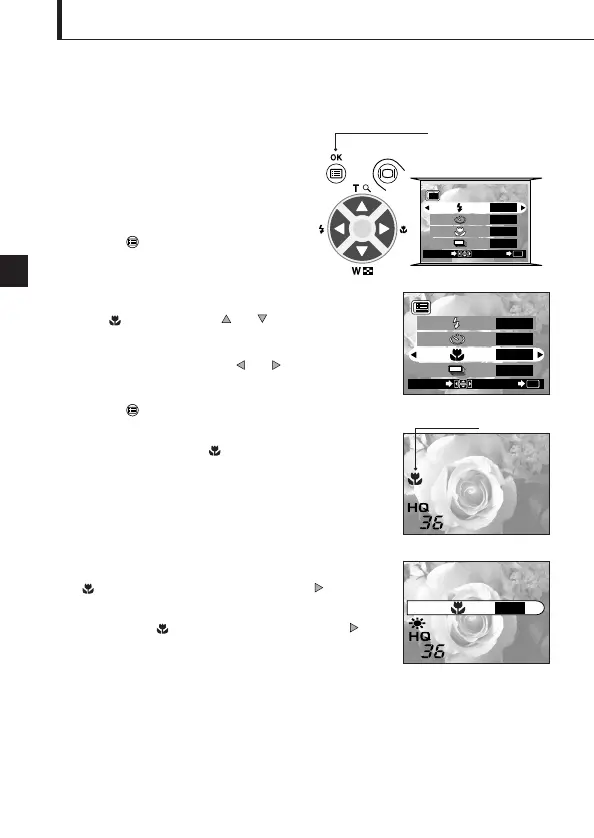
Operating Procedure
1. Check that the lens barrier is open.
2. Press the OK/menu button.
The monitor shows the shooting mode
menu 1/3.
3. Select by pressing the or arrow pad key.
4. Select “ON” by pressing the or arrow pad key.
5. Press the OK/menu button.
The monitor turns on so you can compose close-up
images in the monitor. is displayed on the monitor.
It is recommended to use the Macro mode
when shooting a subject at a distance of less
than 0.5 meter/1.6 feet.
Arrow pad
OK/menu button
Shooting mode menu 1/3 screen
Shooting mode menu 1/3 screen
Note..........................................................
can also be displayed by pressing the arrow
pad key when the lens barrier is open. The tulip-shaped
macro mark ( ) is inscribed on the right of the
arrow pad key. The setting menu disappears after a
moment when no operation is performed.




 To Next Page